
Lets build the extraordinary

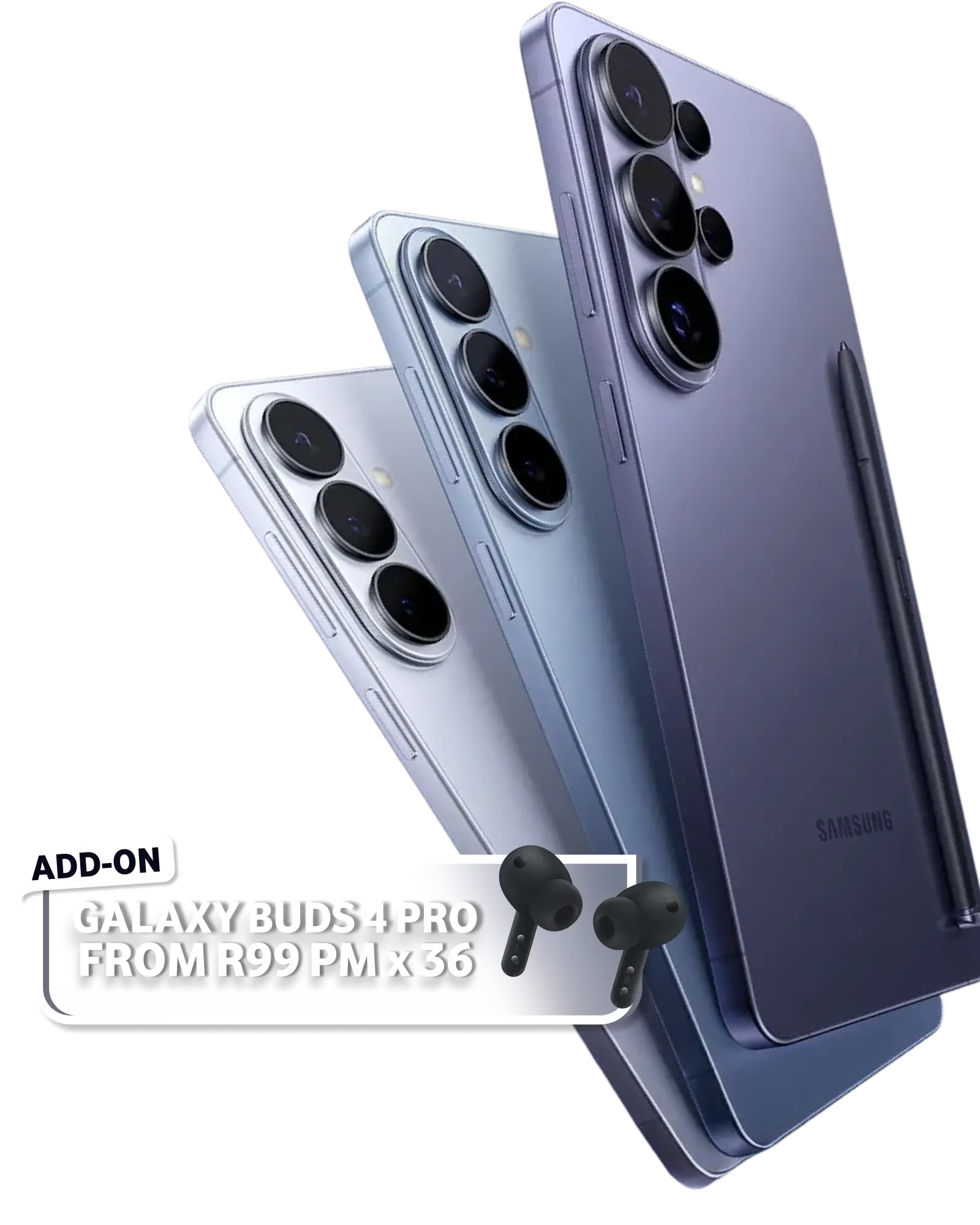
World’s first privacy screen on a smartphone

Samsung Galaxy S26 Ultra 512GB on Red Business 7.6GB. Includes 7.6GB Data | 150 Minutes | Free 30GB

From only

R1449

PM

x 36

Buy now
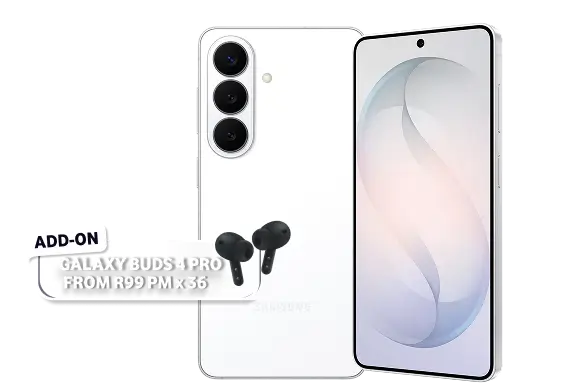
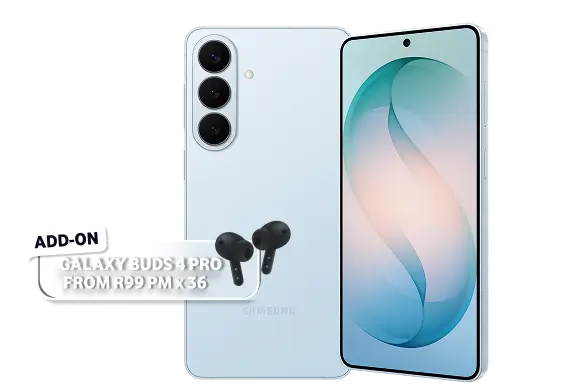
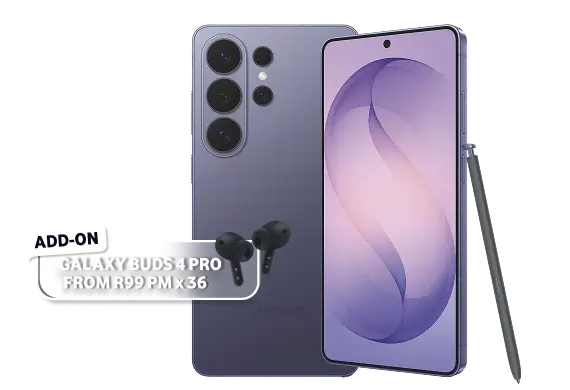
The Samsung Galaxy S26 series phones. Add buds 4 Pro from R99PM x 36.

5G Vodacom Router with Business Internet 5G 30Mbps

Buffering is so 2003. Stop letting your team freeze with their mouths open on video calls. Blast past the lag with our high-speed, hiccup-free connection. Valid until 30 April 2026.

Now from

R399

PM

x 24

R549 PM

Get Business Internet 5G
5G Vodacom Router with Business Internet 5G 30Mbps

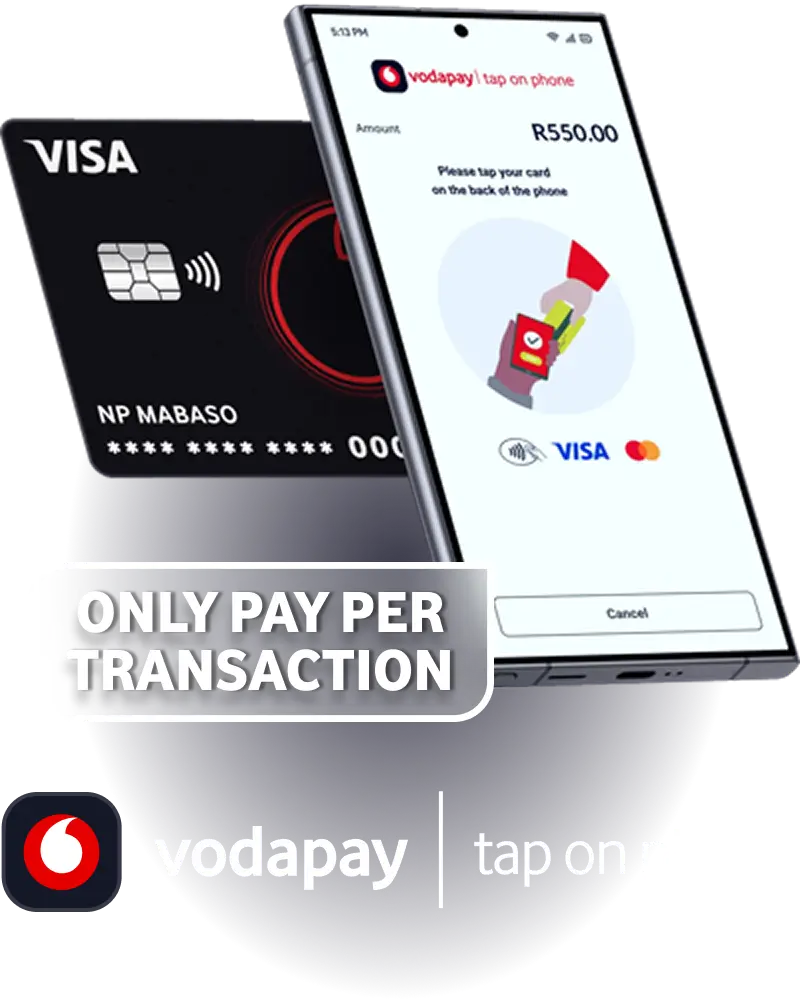
Accept card payments on your phone

Ditch the bulky hardware and the "cash only" apologies. Transform your NFC-enabled Android phone into a secure, instant checkout counter.

FREE

Download on Google Play
VodaPay Card Payment

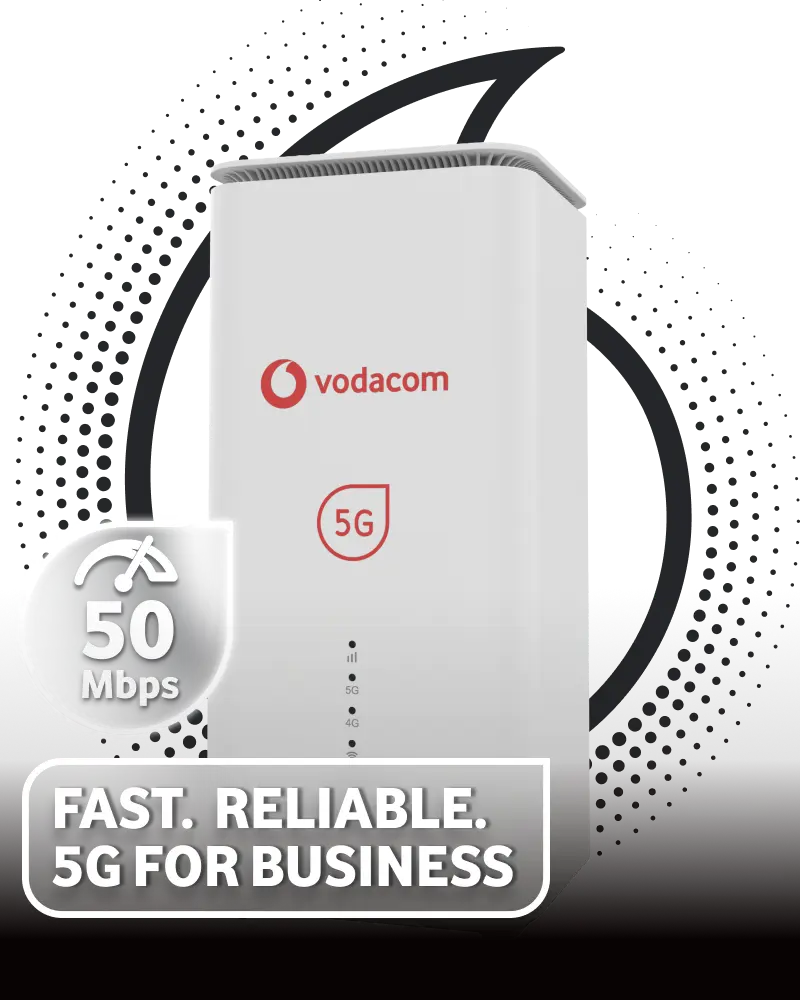
Business Internet 5G 50Mbps

All hustle, no hassle. Meet the 50Mbps 5G that keeps up with your business hustle. Smooth operations, zero drama, and speed that laughs in the face of interruptions. Valid until 30 April 2026.

Now from

R499

PM

x 24

R649 PM

Get Business Internet 5G
5G Vodacom Router with Business Internet 5G 30Mbps
Icon of SIM card

SIM-Only Deals

Icon of a price tag

Our best online deals

Icon of Apple logo

iPhone 17

Icon of two arrows

Unlimited Minutes

Icon of a hand holding cash

Fund my business

Our top business deals

BULIT FOR BUSINESS

Samsung Galaxy S26 Ultra 512GB

Red Business 7.6GB: 7.6GB Data | 150 Minutes | Free 30GB once off data

R1449 per month x 36
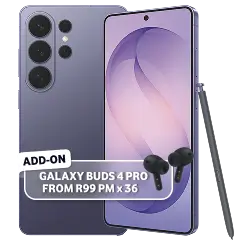
Samsung Galaxy S26 Ultra 512GB
20GB Cloud Storage Microsoft Purview Suite VodaLend Fund My Business Samsung A Series

SAMSUNG

Samsung Galaxy A57

Red Business 3.7GB: 3.7GB anytime Data | 150 Minutes | Free 30GB once off data

R599 per month x 36
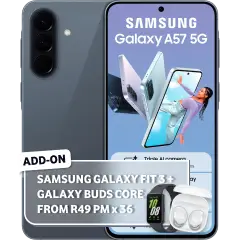
Samsung Galaxy A57
SIM only
Samsung Galaxy A37

Red Business 3.7GB: 3.7GB anytime Data | 150 Minutes | Free 30GB once off data

R519 per month x 36

Samsung Galaxy A37
No contracts
Icon of a handshake

Why partner with Vodacom Business?

Our team of experts brings a unique blend of industry knowledge, innovative thinking, and unwavering dedication to your success. With us as your partner, you'll benefit from unparalleled expertise, proven reliability, and a commitment to achieving your business goals. Let's work together to drive your organisation forward.

Together let's build

Success Stories

Read our real-world case studies and see how our solutions have transformed our clients' businesses.

Retail and Logistics

CASE STUDY

Retail and Logistics

Learn how we support the Volvo Group's technology modernisation.

Download PDF
Hope Church

CASE STUDY

Hope Church

Hope Church is a family church, primary school, training center and events company that strives to improve the quality of life of those in need.

Download PDF
Education

CASE STUDY

Education

Vodacom's MPLS VPN solution provides connectivity for Curro's pioneering e-learning strategy.

Download PDF
Let us contact you
Show all case studies
We are the #1 Trusted Business Telco!

Turn to us for SME Solutions

GET BUSINESS FUNDING

Up to R5million in as little as 24 hours

To qualify, you’ll need a registered business operating for 12 months & a turnover of R40K p/m.

View more

GROW YOUR BUSINESS

Solutions from R47 PM

Grow your business. Build and maintain your website or online store in minutes.

View more

SECURE YOUR BUSINESS

Solutions from R15 PM

Protect your business and email from data leaks and cyber-attacks.

View more

ATTRACT NEW CUSTOMERS

Solutions from R2500 once-off

Advertise your business online and reach the right customers in under 10 minutes.

View more

ACCEPT PAYMENTS CONVENIENTLY

Solution from R499 once-off

Accept card payments quickly and efficiently, on the go.

View more

Turn to us for Enterprise Solutions

BUSINESS INTERNET

Voice and data connectivity options to suit your business needs.

View more

CLOUD AND HOSTING

Free up resources from managing complex IT infrastructure to focus more on business operations.

View more

MOBILE AND VOICE

Connect your organisation with clients and partners, using high-quality calling systems.

View more
Human conversations
About the right digital solutions for your business

Our digital experts speak your language. Whether you’re new to digital or want support with a specific technical topic, we’re here to help.


Chat to a digital expert
An image of 4 people
consultant

Tap to chat, or call us on 082 1960

consultant
Let us give you a call

If you're struggling to shop on our website, let one of our friendly consultants assist you via phone call or chat.

Chat to an agent Call me back

Our best business deals

All deals valid until 06 May 2026.

THE FUTURE OF BUSINESS, FOLDED TO FIT YOUR POCKET

Cellphone Deals

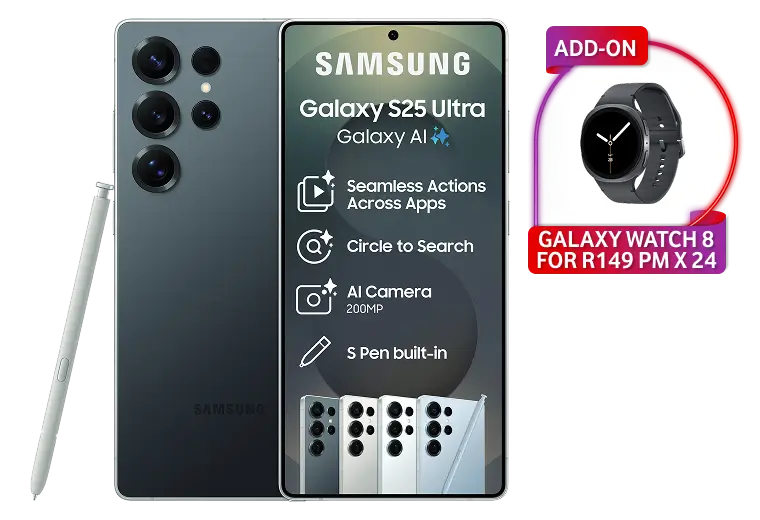
Samsung Galaxy S25 Ultra 256GB

Red Business 7.6GB with:
7.6GB Anytime Data | 400 Minutes | Free 30GB once off data
 

R1249 PM x 36
Apply now
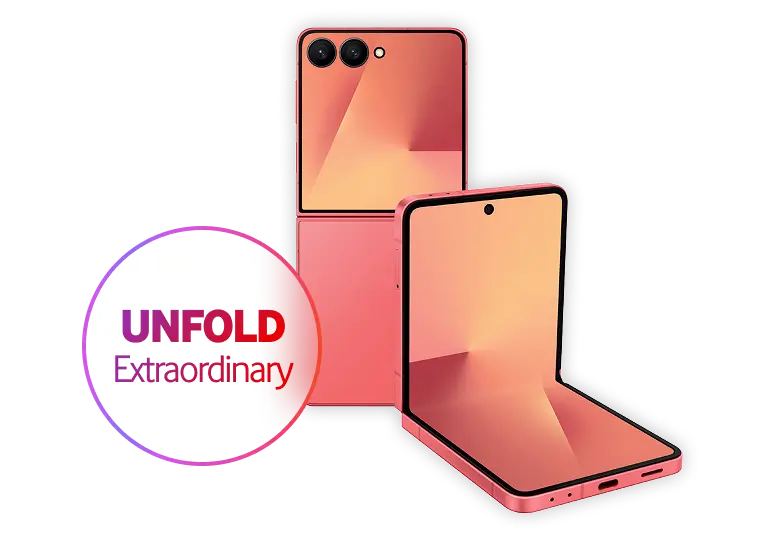
Samsung Galaxy Z Flip 7 256GB

Red Business 3.7GB with:
3.7GB anytime Data | 150 Minutes | Free 30GB once off data
 

R1029 PM x 36
Apply now
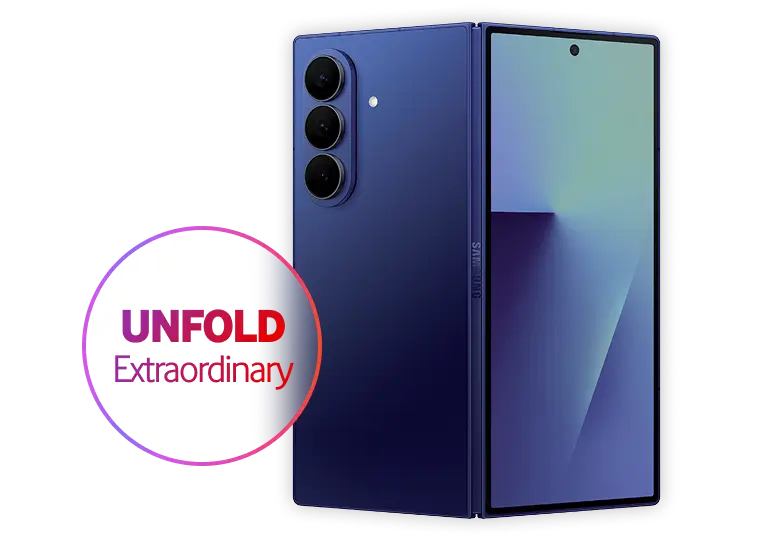
Samsung Galaxy Z Fold 7 256GB

Red Business 7.6GB with:
7.6GB anytime Data | 400 Minutes | Free 30GB once off data"
 

R1899 PM x 36
Apply now
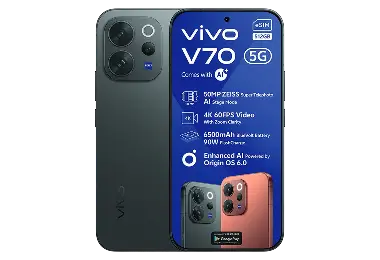
Vivo V70
Vivo V70

Red Business 3.7GB with:
3.7GB Anytime Data | 150 Minutes | Free 30GB once off data

R799 PM x 36
Apply now
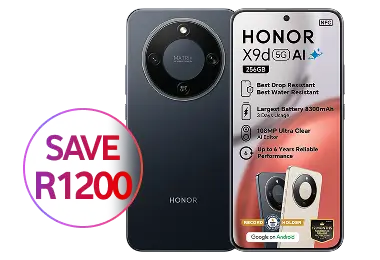
Honor X9d 256GB
Honor X9d 256GB

Red Business 3.7GB with:
3.7GB Anytime Data | 150 Minutes | Free 30GB once off data

R699 PM x 36
Apply now
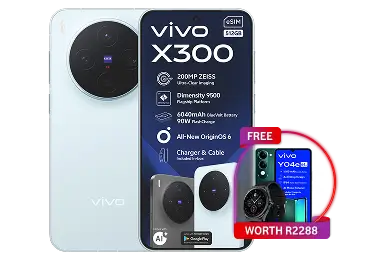
Vivo x300
Vivo x300

Red Business 3.7GB with:
3.7GB Anytime Data | 150 Minutes | Free 30GB once off data

R1399 PM x 36
Apply now
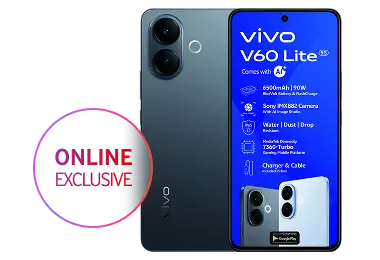
Vivo V60 Lite
Vivo V60 Lite
Red Business 3.7GB with:
3.7GB anytime Data | 150 Minutes | Free 30GB once off data

R629 PM x 36
Apply now

THE ULTIMATE POWER PARTNER FOR YOUR BUSINESS DAY

iPhone 17 Deals

Trusted for Business

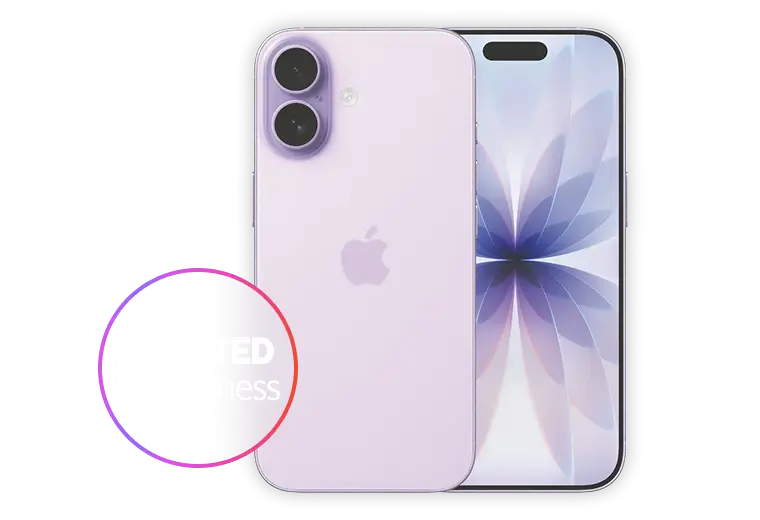
iPhone 17 256GB
iPhone 17 256GB

Red Business 3.7GB
3.7GB anytime Data | 150 Minutes | Free 30GB once off data

R899 PM x 36
Apply now

Introducing iPhone Air

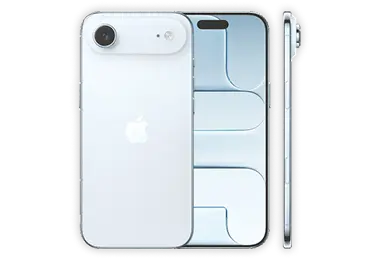
iPhone 17 Air 256GB
iPhone 17 Air 256GB

Red Business 7.6GB
7.6GB anytime Data | 400 Minutes | Free 30GB once off data

R819 PM x 36
Apply now

It's time to call in a Pro

iPhone 17 Pro 256GB
iPhone 17 Pro 256GB

Red Business 7.6GB
7.6GB anytime Data | 400 Minutes | Free 30GB once off data

R1449 PM x 36
Apply now

The ultimate Pro

iPhone 17 Pro Max 256GB

Red Business 7.6GB
7.6GB anytime Data | 400 Minutes | Free 30GB once off data

R1499 PM x 36
Apply now

ONE FOR THE HUSTLE, ONE FOR THE HOME

Double Device Deals

2 x Honor X7 128GB
Honor X7 128GB

On these price plans:

Red Business 3.7GB + RED Flexi 10 on the second SIM

R549 PM x 36
Apply now
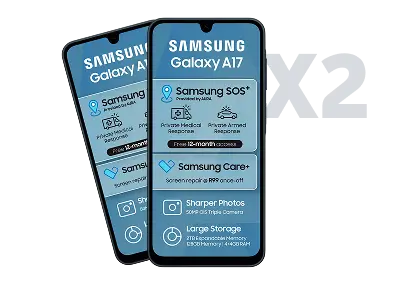
2 x Samsung Galaxy A17
Samsung Galaxy A17

On these price plans:

Red Business 3.7G + RED Flexi 90 on the second SIM

R549 PM x 24
Apply now
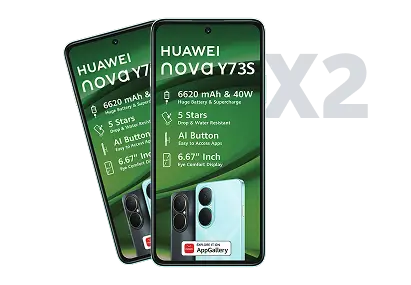
2 x Huawei Nova Y73s
Huawei Nova Y73s

On these price plans:

Red Business 3.7G + RED Flexi 90 on the second SIM

R529 PM x 36
Apply now
BUSINESS FREEDOM, ONE SIM AT A TIME

SIM Only Deals

Best seller

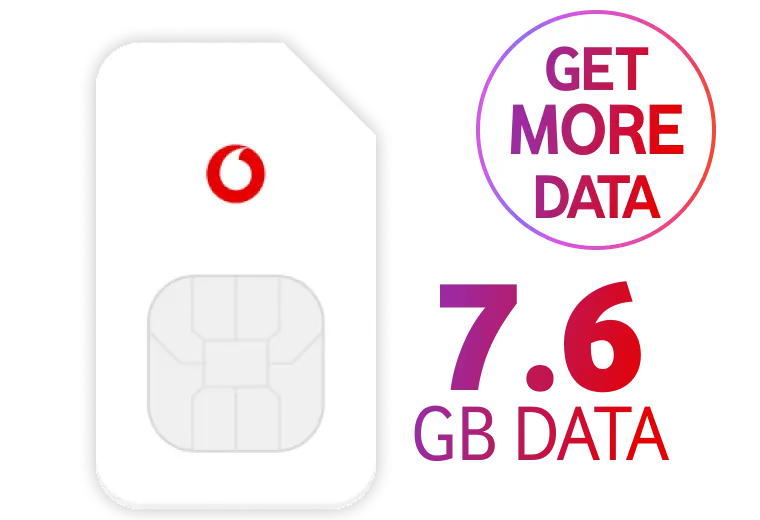
RED Business 7.6GB
Red Business 7.6GB

On these price plans:

Red Business 7.6GB Anytime Data | 400 Mins | 30GB Once off data | 5GB Additional data x 24


R449 PM x 24
Apply now
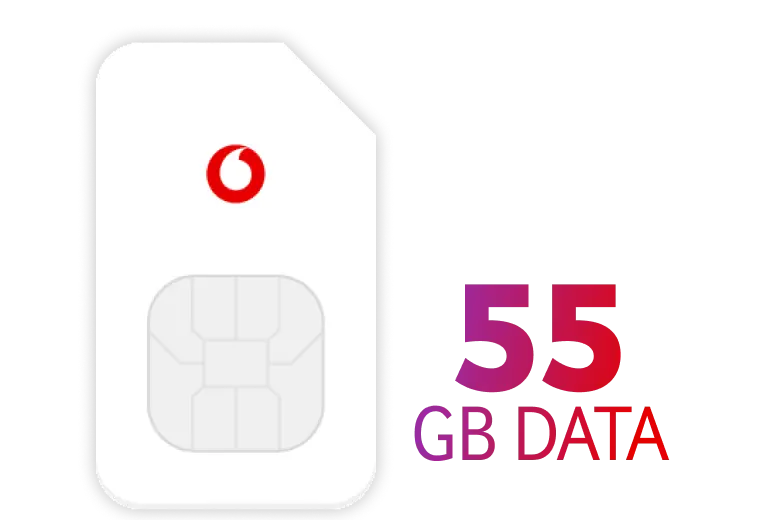
Red Business 55GB
Red Business 55GB

On these price plans:

RED Business 55GB: 55GB Anytime Data | Unlimited minutes | Free 30GB once off data

R1299 PM x 24
Apply now
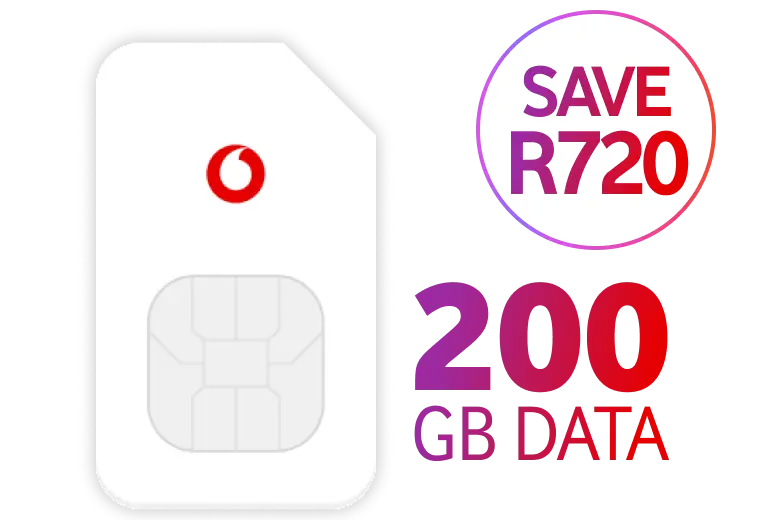
200GB Data
200GB Data

On these price plans

100GB Anytime | 100GB Night owl

R299 PM x 24
Apply now

THE AI ASSISTANT YOUR BUSINESS HAS BEEN WAITING FOR

Samsung S26 Deals

Samsung Galaxy S26 512GB

Red Business 3.7GB with:
3.7GB anytime Data | 150 Minutes | Free 30GB once off data

R849 PM x 36
Buy now
Samsung Galaxy S26+ 512GB

Red Business 3.7GB with:
3.7GB anytime Data | 150 Minutes | Free 30GB once off data

R999 PM x 36
Buy now
Samsung Galaxy S26 Ultra 512GB

Red Business 7.6GB with:
7.6GB anytime Data | 400 Minutes | Free 30GB once off data

R1449 PM x 36
Buy now
node-Take online payments with VodaPay--banner-image-img
VODAPAY PAYMENT GATEWAY

Take online payments with VodaPay

Simplified, efficient integration testing with all the support you need

Shop now View more
ARE YOU A MERCHANT OR A DEVELOPER?
    Merchant

    VodaPay payment gateway application

    What you need to apply


    To complete your application you need an active email and the following:

    ID Card
    Identification

    Have your Green ID Book or Smart Card ready in JPEG format.

    ID Card
    Documentation

    You'll need your bank statement or bank confirmation letter in PDF or JPEG format.

    ID Card
    Photo of yourself

    Use your camera or webcam to take a selfie for verification.

    You will also need to provide the following details

    Image
    icon-red-circle-1
    Location

    Your business must be located in South Africa

    Image
    icon-red-circle-2
    Policies

    Your policies must be displayed on your website

    Image
    icon-red-circle-3
    Monthly Turnover

    We need your monthly turnover to make an informed decision

    Image
    icon-red-circle-4
    Business Details

    Provide your e-Commerce website URL

    Image
    icon-red-circle-5
    Your Details

    Customer service email address or telephone number must be visible on your business website

    Image
    icon-red-circle-6
    Take A Selfie

    Your picture helps us to protect you from identity fraud

    Image
    icon-red-circle-7
    Banking Details

    Provide your business banking details to process the application

    How do you integrate with VodaPay payment gateway?

    To complete your integration, first do a test integration against Vodacom's staging environment, before moving onto the production environment. Once the test integration process is complete, the staging detail will need to be substituted with the production detail.

    If you require any technical support during your integration/development phase, please contact Vodacom's integration support team at the following email address:
    [email protected]

    This section aims to provide you with a high-level integration overview as well where to find the relevant information to integrate quickly and successfully.

    Access technical integration document here.

    Man Eating Noodles

    Choose your preferred integration method

    • 01
      SHOPPING CART PLUGIN

      VodaPay has created plugins for the most popular shopping cart solutions for you to easily integrate.

    • 02
      CUSTOM INTEGRATION

      All the Information your developer will need to for custom eCommerce platform integration.

    • 03
      USE API KEY

      The API key required for integration can be found on the Merchant Profile Page. Click here to find out how to access the Profile Page.

    Elevate your checkout experience

    Subscriptions, split payment and more

     
    Image
    eCommerce access services
    Access a wide range of services

    Improve your customer checkout experience and reduce cart abandonment with recurring subscription payments, split payments and payment requests.


    Contact number to find out more and to activate.

    Using the VodaPay Merchant Portal

    Whether you sell your products and services online, on social media, in-store or on the move, we can help you accept payments safely, easily and quickly.

    You'll have access to a portal to manage your devices, download merchant statements and export your transaction history. Soon, you'll also be able to send receipts via email.

    The VodaPay Merchant Portal allows you to view all your transactions and sales made across all our payment solutions including eCommerce, VodaPay Max and VodaPay Chop Chop.

    Access the VodaPay Merchant Portal
    Image
    ecommerce-first-time-user
    How to log in
    First time user

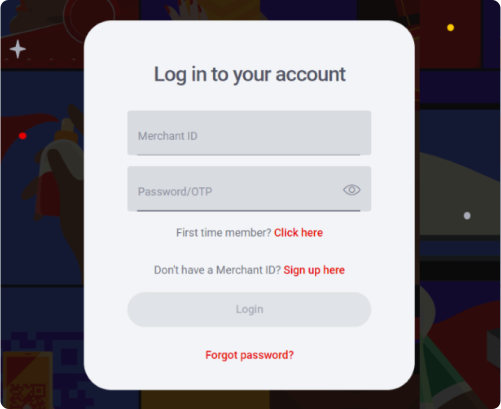
    Once you have successfully been onboarded, you will receive an email with your Merchant ID, and your OTP will be sent to your cell phone number.
     

    • Enter your Merchant ID in the field labelled "Merchant ID". The Merchant ID is 15 characters long and begins with "VPS" e.g. VPS123412341234. 
    • Enter your One-Time Password (OTP) in the field labelled "Password/OTP"
    • If your OTP has expired, you can retrieve a new OTP by clicking on the "first time user" link. You will then be requested to provide your Merchant ID, if you have a valid Merchant ID a new OTP will be sent to your cell phone number.
    Image
    ecommerce-set-password
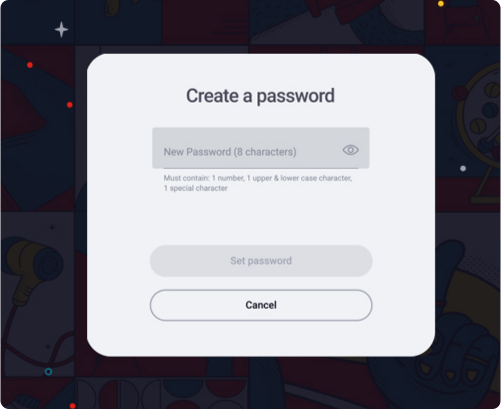
    Password
    How to set your password

    • Once your Merchant ID and one-time password have been verified, you will be requested to set your new login password.
    • Your password should consist of at least one number, one uppercase character, one lowercase character, one special character and should have eight characters minimum. e.g. 1Aa&5678 
    • Once your password has been set, you will be navigated to the login screen to login with your new credentials.
    Image
    ecommerce-forget-password
    Change password
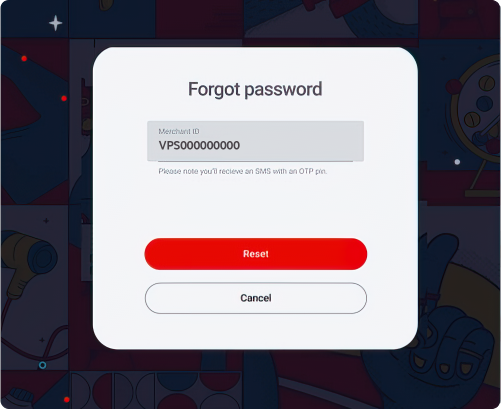
    Did you forget your password?

    • Click on the "Forgot password" link under the login button. 
    • Enter your Merchant ID and an SMS will be sent to your number. 
    • You'll need to enter the OTP, which will allow you to create a new password.
    • Your password must have eight characters. One uppercase, one lowercase and one special character must be included.
    • When your password is reset, login with your Merchant ID and password. You will be directed to you dashboard.
    Image
    eCommerce dashboard page
    Dashboard
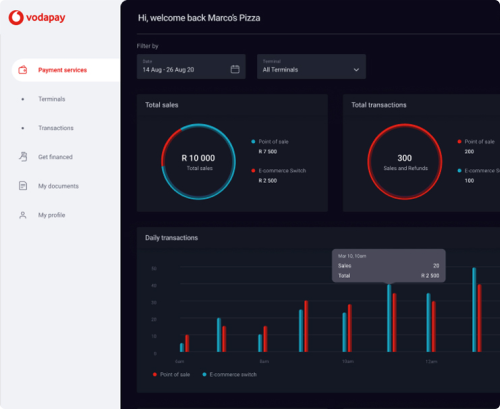
    What is on your dashboard

    • You can navigate through the portal using the menu on the left-hand side of your dashboard. 
    • The first graph on the top left of your dashboard is your total sales. This is the total Rand value of all the income earned across your terminals and can be filtered per terminal type.
    • The second graph on the top right of your dashboard is your total transactions, this includes, but not limited to, card taps, card swipes, QR scans, and reversals. 
    Image
    ecommerce-terminal-transactions
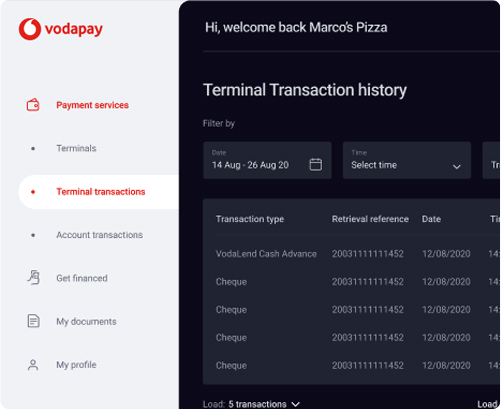
    Transactions
    Terminal Transactions

    • You can filter your processed transactions by date, transaction type and response codes.
    • If you wish to save your transaction history, you can click on the "Export" button. This will export your transaction history as a CSV.
    • For each date, we show you the transactions processed.
    • If you would like some more information on a transaction, you can click on the line item. This will open a right hand slide out menu which will give you more details on a transaction.
    Image
    ecommerce-account-transactions
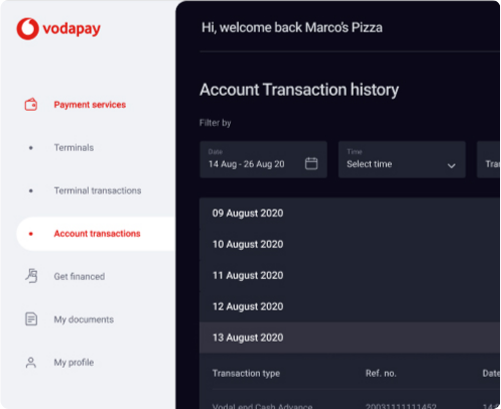
    Transactions
    Account Transactions

    • You can filter your reconciled transactions by date, transaction type and response codes. 
    • If you wish to save your transaction history, you can click on the "Export" button. This will export your transaction history as a CSV. 
    • For each date, we show you the total amount you earned in each settlement. You can expand these totals to view a breakdown of each settlement.
    • If you would like some more information on a transaction, you can click on the line item. This will open a right hand slide out menu which will give you more details on a transaction. 
    • Coming soon, you will be able to send a receipt to an email address.
    Image
    ecommerce-terminal-transactions
    Transactions
    Terminal Transactions

    • You can filter your processed transactions by date, transaction type and response codes.
    • If you wish to save your transaction history, you can click on the "Export" button. This will export your transaction history as a CSV.
    • For each date, we show you the transactions processed.
    • If you would like some more information on a transaction, you can click on the line item. This will open a right hand slide out menu which will give you more details on a transaction.
    Image
    ecommerce-get-financed
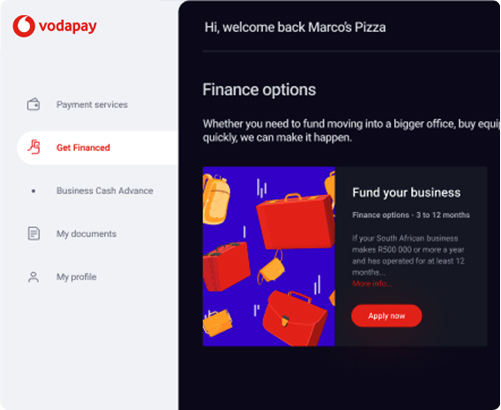
    Finance
    Get financed

    • As a Vodacom Business customer, if your business is performing well, you will be able to apply for business funding. If you qualify for business funding, you can click on the "Apply Now" action. If you don't yet qualify, click on the "More Info" to find out how to qualify.
    Image
    ecommerce-my-documents
    Documents
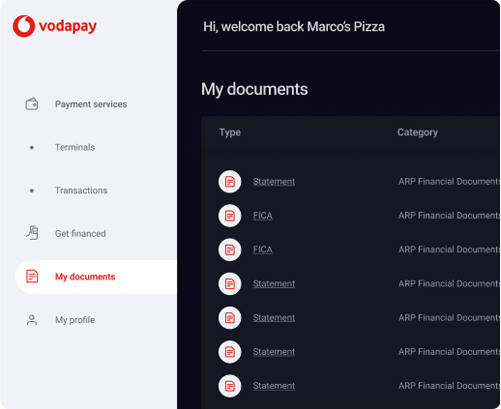
    My documents

    • In the documents tab, you can either view or download your documents such as your monthly invoice and financial statements. 
    • If you click on the file name, you will be able to view the selected the document. If you click on the download icon, the document will download to your device.
    Image
    ecommerce-my-profile
    Profile
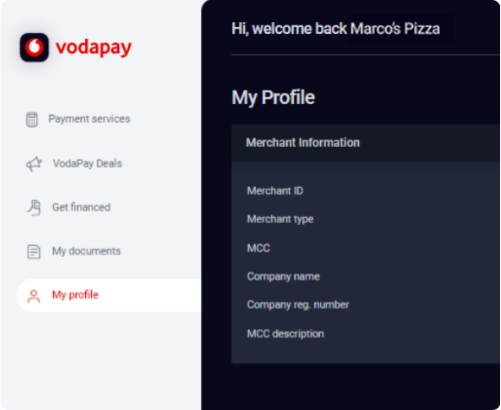
    My Profile

    • Your profile displays your business information and  the option to change your password.
    • On your profile we display your Merchant ID, Merchant Type, Merchant Category Code and Description, Company Name, and Business Registration Number.
    Image
    ecommerce-process-a-refund
    Refund
    How to process a refund

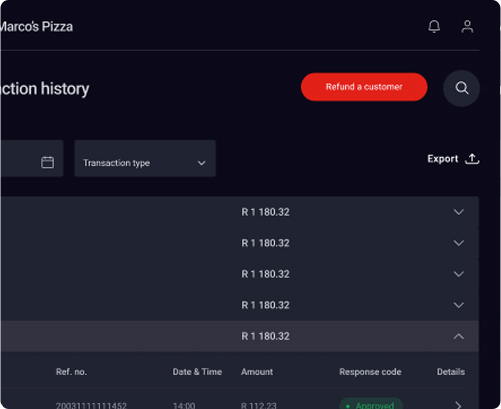
    • Log on to the Merchant Portal using the credentials supplied during on-boarding. From the landing page of the Merchant Portal, navigate to Account Transactions in the left menu pane.
    • Click "Refund a customer"
    • Select the transaction that you would like to refund by clicking on the arrow [>] in the details column of the transaction.
    • The list of transactions that meet the search criteria will be displayed.
    • Transactions will be available on the Merchant Portal for as long as the agreed archive date has not been reached.
    • Only transactions with the response code "Approved" can be refunded.
    Image
    ecommerce-edit-the-refund-details
    Refund
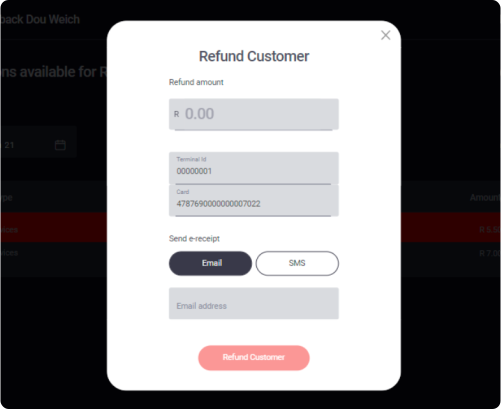
    Edit the refund details

    • Enter the amount you would like to refund the customer.
    • The amount may not exceed that of the approved amount of the transaction.
    • Partial refunds can also be performed.
    • The merchant can enter an email address or cell phone number for the e-receipt to be delivered to.

    How and when do I get paid?

    At the end of each business day, VodaPay will perform a settlement process which considers all successful payments processed on your behalf as well as any refunds that you have performed.

    On the next business day, VodaPay will calculate the amount due to you by offsetting any debits such as refunds or transaction fees, against payments received. The remaining balance is then paid into your designated clearing bank account.

    A detailed view of this can be found on the Account Transactions screen of the merchant portal. Invoices for fees charged by VodaPay are available on the Documents screen on the merchant portal.

    Do you need help?

    To have your questions answered, please visit our FAQ section. It covers several commonly asked questions that may provide you with the answers you need. Alternatively, please contact our call centre and our friendly agents will be happy to help you.

    Website: http://voda.com/accept-payments
    Email: [email protected]
    Call Centre: 0800 000 654 Free from any network
    Call centre operating hours
    Monday to Sunday 8:00am to 7:00pm with after-hours emergency support
     

    FAQs

    Merchant Portal Questions And Answers

      Where can I view my transactions?

      The Vodacom merchant portal provides reporting on all your transactions. Access the Merchant Portal on: https://vodapay.vodacom.co.za/merchant/index.html#/

      How are fees calculated?

      Fees are calculated based on your monthly turnover and the payment methods you wish to accept from your customers. When a payment is successfully processed on the payment gateway, we will calculate the fee based on the transaction amount and the payment method used.

      How do I get a merchant account?

      You can apply online here https://vodapay.vodacom.co.za/onboarding/start

      How does the VodaPay payment gateway work?
      • When a customer initiates a purchase by selecting to checkout, they are navigated to a payment page displaying the available payment options.
      • The customer selects their preferred payment method and captures the required information
      • The payment gateway confirms that there are sufficient funds for the transaction by checking with the customer’s bank (Issuing Bank).
      • Once the transaction has been approved, the payment gateway informs the merchant’s website that the transaction can be completed.
      • The payment gateway informs the acquiring bank to transfer funds from the customer’s account so that the merchant can be settled for the transaction.
      What is a chargeback or dispute?

      A Dispute occurs when a buyer asks their issuing bank to reverse a transaction that has already been cleared. This tends to happen mainly due to a card being used fraudulently or when a customer feels that their order was not fulfilled by the merchant. If the merchant should fail to respond to the Dispute, it will result in a Chargeback

      How Chargebacks work

      Step One - Dispute is raised
      The process is triggered when the Cardholder logs a dispute with the Issuing Bank.

      • The issuing bank verifies whether the dispute is valid or invalid.
      • If the issuer views the dispute as invalid, the chargeback process will end at this stage.
      • The cardholder will be notified of the decision.

      Step Two - Dispute is logged
      If the dispute is determined to be valid, or at least worthy of further investigation.

      • The Issuing bank will assign a reason code and electronically transmit all the dispute data to the Acquiring bank.
      • The cardholder will be issued with a temporary credit while the dispute is being investigated.

      Step Three - Dispute is transmitted to the Acquiring Bank

      • The dispute data is recorded and electronically transmitted to the Acquiring Bank,
      • SLAs for the Acquiring bank to reply are triggered.

      Step Four - The Acquirer receives the dispute
      When the Acquiring Bank receives the dispute, they:

      • Investigate the transaction details on the Card Association portal where the transactional log is stored,
      • The bank then logs an incident on their system in order to keep track of the SLA to reply to the Issuing bank.

      Step Five - Supporting evidence is requested from Merchant

      • The Acquiring bank then requests the transaction re-presentment documents to be used as fulfilment of the dispute from the Merchant in writing; this request is a call-to-action for the merchant to gather and submit compelling evidence the remedy the dispute,
      • The request consists of the transaction details, the reason for the dispute, what documentation to provide or how to deal with the dispute and the due date for the Merchant to reply.

      Step Six - When the Merchant receives the dispute, the Merchant:

      • Will assess the request,
      • Collect the transaction evidence in accordance with the request,
      • Submits the evidence back to the Acquiring bank.
      • However, if the Merchant doesn't reply to the Acquirer in time; then they lose their re-presentation rights and therefore will be debited for the full value of the dispute and in addition, the Card Association will impose a chargeback fee.
      • When the acquirer receives the merchant's evidence from the merchant, then they'll pass this along to the Card Association, which will be sent it to the Issuer, and then back to the Cardholder.
      What is 3-D Secure?

      If you are a Vodacom merchant, your store is configured to process 3D secure authenticated card transactions. This means that all customers will need to authenticate (either OTP or in-app) their transaction for it to be processed successfully.

      The only exception to this is the recurring/subscription payments functionality where the initial transaction is 3-D secure authenticated, and all subsequent transactions are non-3-D secure.

      One of the critical success factors of the authentication schemes is to remove chargebacks from the system. Each of the card issuers are adding edits to ensure, wherever possible, that you are not charged back for a transaction that was authenticated.

      PCI Compliance

      PCI Data Security Standard or PCI DSS are the standards governing the credit card industry. The main aim of these standards is to create a safe environment for credit card transactions and minimize the risk of financial fraud.

      Vodacom adheres to international PCI (payment card industry) compliance standards for data security for the credit card data handled by Vodacom. All internal processes strictly adhere to the PCI-DSS level 1 certification.

      What payment methods does VodaPay support?

      Vodacom enables your business to accept:

      • Credit & Debit cards
      • Pay by bank OZOW
      • QR payments
      What terms and conditions are required for a merchant account?

      To access the Vodacom Terms and Conditions, click the following link

      Developer
      Image
      Download plugins
      Download plugins

      Image
      Developer pages
      View developer pages

      The VodaPay Gateway Provider-Channel (PSP-Channel) is primarily a reach solution. It aggregates both card present transactions originating from merchant systems and card-not-present transactions such as e-commerce.
       

      For card-present transactions, it supports integrated Points of Sale, self-service devices and terminal systems. For card-not-present transactions, it accepts input from payment channels such as mobile and online purchases. A web-based commerce portal with 3-D Secure, instant EFT and QR code payment options is part of the solution.
       

      The VodaPay Gateway API is an integration point into the PSP-Channel solution, enabling front-end mobile commerce and e-commerce applications to introduce transactions directly into the system's transaction processing flow.
       

      CONTACT US
       

      Disclaimer: Vodacom Payment Services

      Contact us for more information

      Monday to Friday:

      8:00 AM to 6:00 PM

      Weekends and Public Holidays:

      9:00 AM to 2:00 PM

      CALL 0800 000 654

      Pagination

      • First page « First
      • Previous page ‹ Previous
      • …
      • Page 903
      • Page 904
      • Page 905
      • Page 906
      • Page 907
      • Page 908
      • Page 909
      • Current page 910
      • Page 911
      • Next page Next ›
      • Last page Last »