Internet of Things (IOT)

Empower Every Frontline Worker. Everywhere.

Together, let’s build the extraordinary by connecting your workforce through a secure, mobile-first platform — no email required.

Request call back

Why Employee Engagement?

Frontline workers make up 80% of the global workforce — yet most remain digitally disconnected. Without access to company systems, updates, or support, they face daily challenges that impact safety, productivity, and morale.

Disconnected frontline teams cost businesses over €450 billion annually. It’s time to change that.

Employee Engagement Platform bridges this gap — giving every employee, from mines to retail floors, the tools to feel connected, informed, and empowered.

Key Benefits
  • Up to 64% fewer safety incidents
  • Up to 17% increase in productivity
  • Up to 30% reduction in staff turnover
  • Up to 41% lower absenteeism
  • Up to 75% savings in printing & distribution costs
  • Up to 50% less HR admin time
  • Up to 35% higher ESG governance scores
Key Features
  1. Digital Inclusivity:
    • Reach every employee smartphone or feature phone, via App, Mobi Site, or USSD
    • No email address required
    • Data-light and data-free options available
  2. Reduce Risk:
    • Real-time crisis communication.
    • Safety alerts, compliance updates, and operational forms
    • Emergency messaging with push notifications
  3. Unlock Access:
    • Payslips, leave, benefits, shifts, vacancies.
    • Integration with LMS, payroll, and third-party systems
    • Earned Wage Access to reduce financial stress
  4. Activate Community:
    • Social and team feeds
    • Peer-to-peer chat and recognition
    • Podcasts, micro-learning, birthdays & long-service celebrations
    • Surveys, feedback forms, and leadership engagement
  5. Secure & Scalable:
    • ISO certified, GDPR & POPIA compliant
    • Segmentation across complex business structures
    • Analytics dashboard for platform reach, activity, and engagement insights
    • White-labelled to your brand, with expert support

GET IN TOUCH

Get in touch to get connected

____

Get Vodacom Employee Engagement Platform

Request call back

MOBILE & VOICE

Blended APN. One Network. Total Control

Seamless, scalable, and smart connectivity – powered by XLink and Vodacom Business.

Request call back

What is a Blended APN?

Blended APN is a next-generation, multi-MNO connectivity solution that simplifies mobile data management across networks. It combines internet, SIMs, and APN services into a single, flexible platform, giving businesses full visibility and control over their mobile connectivity.

Benefits:
  • Operational Agility:

Blended APN enables businesses to adapt quickly to changing operational needs without being locked into a single network provider.

  • Improved Cost Predictability:

With centralised data management and real-time cost tracking, businesses can forecast expenses more accurately. This reduces the risk of bill shock and supports better financial planning and budgeting.

  • Enhanced Business Intelligence:

Access to granular usage data and analytics empowers businesses to uncover trends, optimise resource allocation, and make data-driven decisions that improve performance and reduce inefficiencies.

  • Reduced Risk & Compliance Support:

Blended APN’s secure architecture and centralised control help businesses meet data governance and compliance requirements more easily, especially important in regulated industries like finance, healthcare, and logistics.

Key Features

Monitoring

Usage Monitoring

Identify top and inactive SIMs for operational efficiency.

 Reporting

Scheduled Reports

Exportable daily, weekly, or monthly reports by region, site, or date in PDF/Excel.

Secure Access

Secure Access & Audit Trail

2FA login, user-specific access, and full activity logging. Perfect for organisations needing reliable, scalable SIM management with security, control, and real-time visibility.

Central Bundle

Central Bundle

All SIM cards, across all networks, draw from a central enterprise cap

Organise SIMs

Organise SIMs

Manage multiple APNs, Companies, Departments, Individuals, and SIM cards.

Analytics

Analytics

View graphs and analytics to comprehend usage patterns.

Soft Lock

Soft Lock

Manually soft lock and unlock SIMs in real-time.

Notifications

Notifications

Customise notification percentages and send them via email.

Pairing

Pairing of ICCID to IMEI

This feature ensures a SIM card is functional only when used with the intended device.

GET IN TOUCH

Get in touch to get connected

____

Get Vodacom Blended APN

Request call back

Mobile & voice

eSIM for business customers

Experience the new eSIM technology and the convenience of the flagship devices that are now dual SIM, having both an eSIM and a physical SIM.

Request call back
What is an eSIM?

An eSIM (embedded SIM) is a tiny chip installed in your device that connects to the mobile network, similar to a physical SIM.

  • It cannot be physically removed or replaced.
  • During set up, an eSIM profile is loaded onto your device through an internet connection.
  • The eSIM profile contains the same information previously stored on a physical SIM

Is your device eSIM compatible?

Find out if your device can operate with eSIM with our list of compatible devices.

    Apple
    iPhone iPad
    ·       iPhone 11 ·       iPad Pro 12.9 inch (5th generation)
    ·       iPhone 11 Pro ·       iPad Pro 12.9 inch (4th generation)
    ·       iPhone 11 Pro Max ·       iPad Pro 12.9 inch (3rd generation)
    ·       iPhone 12 ·       iPad Pro 11 inch (3rd generation)
    ·       iPhone 12 mini ·       iPad Pro 11 inch (2nd generation)
    ·       iPhone 12 Pro ·       iPad Pro 11 inch (1st generation)
    ·       iPhone 12 Pro Max ·       iPad 10.2 inch (7th generation)
    ·       iPhone 13 ·       iPad Air (4th generation)
    ·       iPhone 13 (dual eSIM) ·       iPad Air (3rd generation) (2019)
    ·       iPhone 13 Mini ·       iPad mini (5th generation) (2019)
    ·       iPhone 13 mini (dual eSIM) ·       iPad (8th generation)
    ·       iPhone 13 Pro ·       iPad (7th generation)
    ·       iPhone 13 Pro (dual eSIM)  
    ·       iPhone 13 Pro Max  
    ·       iPhone 13 Pro Max (dual eSIM)  
    ·       iPhone 14  
    ·       iPhone 14 Plus  
    ·       iPhone 14 Pro  
    ·       iPhone 14 Pro Max  
    ·       iPhone SE 2 (2020)  
    ·       iPhone SE 2020  
    ·       iPhone SE 3 (2022)  
    ·       iPhone XR  
    ·       iPhone XS  
    ·       iPhone XS Max  
    Android
    Samsung Huawei Google
    •                    Samsung Galaxy A54 •            Mate 40 ·        Pixel 3
    •                    Samsung Galaxy Fold •            Mate 40 Pro ·        Pixel 3 XL
    •                    Samsung Galaxy Note 20 •            Mate 40 Pro+ ·        Pixel 3a
    •                    Samsung Galaxy Note 20 Ultra 5G •            P40 ·        Pixel 3a XL
    •                    Samsung Galaxy S20 •            P40 Pro ·        Pixel 4
    •                    Samsung Galaxy S20 FE 4G/5G •            P40 Pro+ ·        Pixel 4a
    •                    Samsung Galaxy S20 Ultra   ·        Pixel 5
    •                    Samsung Galaxy S20 Ultra 5G    
    •                    Samsung Galaxy S20+    
    •                    Samsung Galaxy S20+ 5g    
    •                    Samsung Galaxy S21    
    •                    Samsung Galaxy S21+ 5G    
    •                    Samsung Galaxy S21+ Ultra 5G    
    •                    Samsung Galaxy S22    
    •                    Samsung Galaxy S22 Ultra    
    •                    Samsung Galaxy S22+    
    •                    Samsung Galaxy S23    
    •                    Samsung Galaxy S23 Ultra    
    •                    Samsung Galaxy S23+    
    •                    Samsung Galaxy Z Flip    
    •                    Samsung Galaxy Z Flip3 5G    
    •                    Samsung Galaxy Z Flip4    
    •                    Samsung Galaxy Z Fold2 5G    
    •                    Samsung Galaxy Z Fold3 5G    
    •                    Samsung Galaxy Z Fold4    
    Other
    Oppo
    • Find X3 Pro

    Why switch to eSIM?

    Flexibility

    Flexibility

    No more plastic SIM cards required - more flexibility, less logistics.

    Easy access

    Easy access

    Changing is easy as we send your eSIM straight to your inbox.

    Reusable

    Reusable

    eSIMs are reusable, so you can change or upgrade your devices with­out a SIM swap.

    Convenient

    Convenient

    Keep your business number and personal number on the same device.

    What you need to get an eSIM

    An eSIM compatible device

    An eSIM compatible device

    An email address

    An email address

    Internet access (WiFi) to connect your device

    Internet access (WiFi) to connect your device

    We will send you an email with an activation code (QR code).
    Just follow the instructions in the email to activate the eSIM and you’re all set.

    Get started with eSIM

    Switch your numbers to eSIM

    Switch your numbers to eSIM

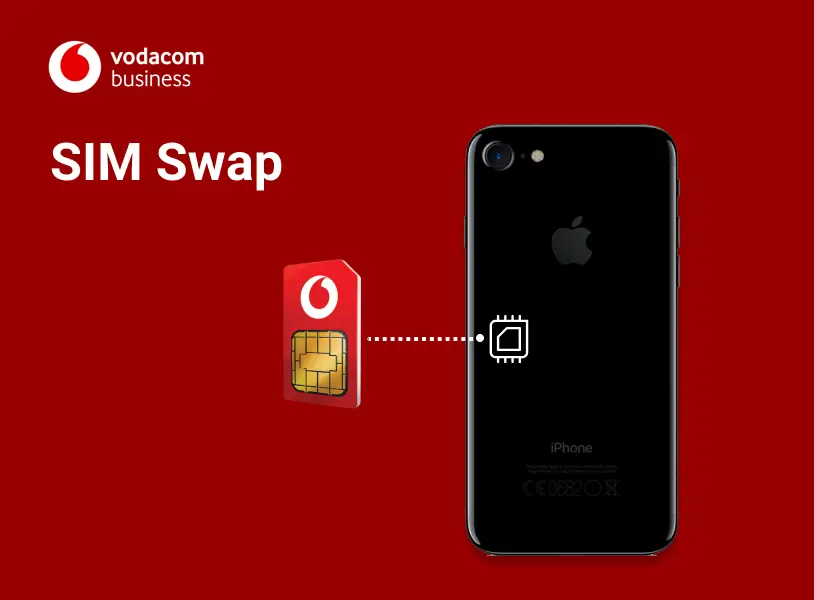
    For security reasons, a SIM swap to eSIM can only be requested by the company's authorised contact. Swapping to an eSIM will stop the physical SIM from working.

    Get in touch
    Activate new eSIM numbers

    Activate new eSIM numbers

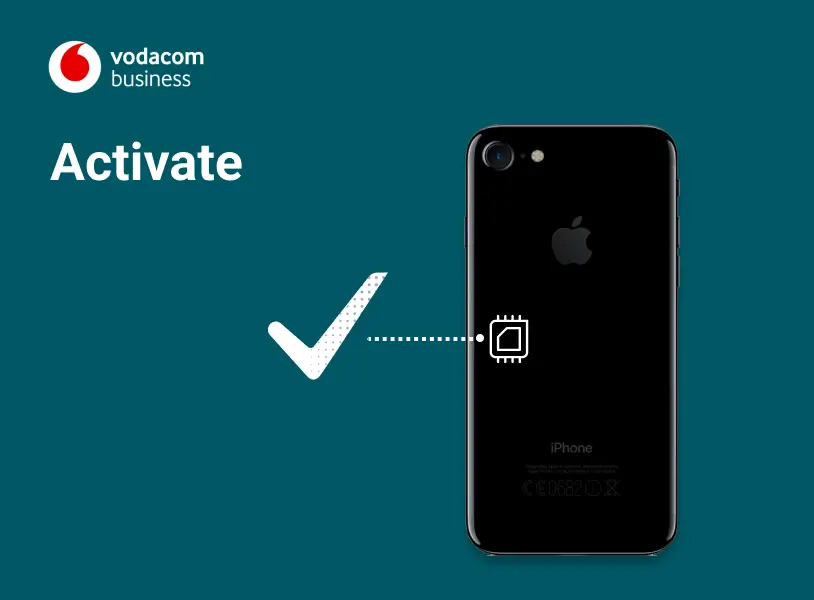
    Get in touch or talk to your account manager today to activate your new eSIM numbers. Remember to always check your devices are eSIM capable. Corporate Customers can use Vodacom Corporate Online

    Get in touch

    FAQs

      How do I activate a new eSIM?

      We need an email address for each eSIM, where we send the QR code. It can be sent either:

      • Directly to the eSIM user to activate, if individual emails are provided, or;
      • To a company admin email, if a centralised address is preferred. The email owner will distribute the eSIMs/QR codes within the organisation
      • The rest of the steps are simple, just follow the email instructions by connecting the device to the internet or WiFi first.

      We will send you all the newly allocated numbers as they are needed in the activation process.

      Can I have eSIM activated on my smartwatch?

      While smartwatches like the Apple Watch and others have an eSIM, they operate differently from phones and tablets, being designed as companion devices connected to a primary number/device.

      Currently we are not supporting smartwatches connected to a business number for customers with more than 10 employees.

      Can my QR code be used by anyone else

      No, the eSIM connection is secured. The QR code will not work while the eSIM is active on another device. Once the eSIM is deleted from one device, the QR code can be reused to download the eSIM on another.

      Does the QR code only work on a Vodacom eSIM device?

      No, the QR code can be scanned on any eSIM device, provided it is unlocked. Devices from other operators must be unlocked first to activate the eSIM.

      I am a company admin user and i have received all QR codes. How do I know which QR code must be sent to each employee?

      You should be able to identify the numbers using the 4 visible digits displayed in the activation email’s subject.

      What happens if someone has deleted their eSIM profile by accident?

      The same QR code can be used to download the eSIM on the device again.

      Lost your QR code? Get your company’s authorised contact to call our customer services on 191, and they can resend it.

      Corporate customers can use Vodacom Corporate Online to reclaim their QR codes.

      One of my employees has lost their phone or it has been stolen, what shall I do?

      Please call us to report the lost or stolen phone so we can block the Vodafone eSIM number; this will make the old QR code unusable. A SIM swap can then be requested through Swap your SIM - either to a physical SIM or another eSIM.

      Other connections to different networks on the lost device (if existent) will have to be reported to the respective providers.

      One of my employees’ eSIM device has broken, what shall I do?

      They should always delete the eSIM profile first before returning the device to be repaired. For help on how to do this, please read the relevant device guide.

      There are two options to use the number while waiting for the device to be fixed:

      Move the eSIM onto another eSIM device by reusing the QR code; or
      If the device is unusable and profile cannot be deleted, request a SIM swap to a physical SIM or another eSIM through Swap your SIM.

      Can I port in a number from another network on eSIM?

      Yes, we can port in numbers from other networks on eSIM.

      GET IN TOUCH

      Get in touch to get connected

      Get Vodacom Business eSIM

      Request call back

      Pagination

      • First page « First
      • Previous page ‹ Previous
      • …
      • Page 848
      • Page 849
      • Page 850
      • Page 851
      • Current page 852
      • Page 853
      • Page 854
      • Page 855
      • Page 856
      • …
      • Next page Next ›
      • Last page Last »