Boost your sales with our new vouchers

Game On: Transform Your Business with our New Vending Solutions

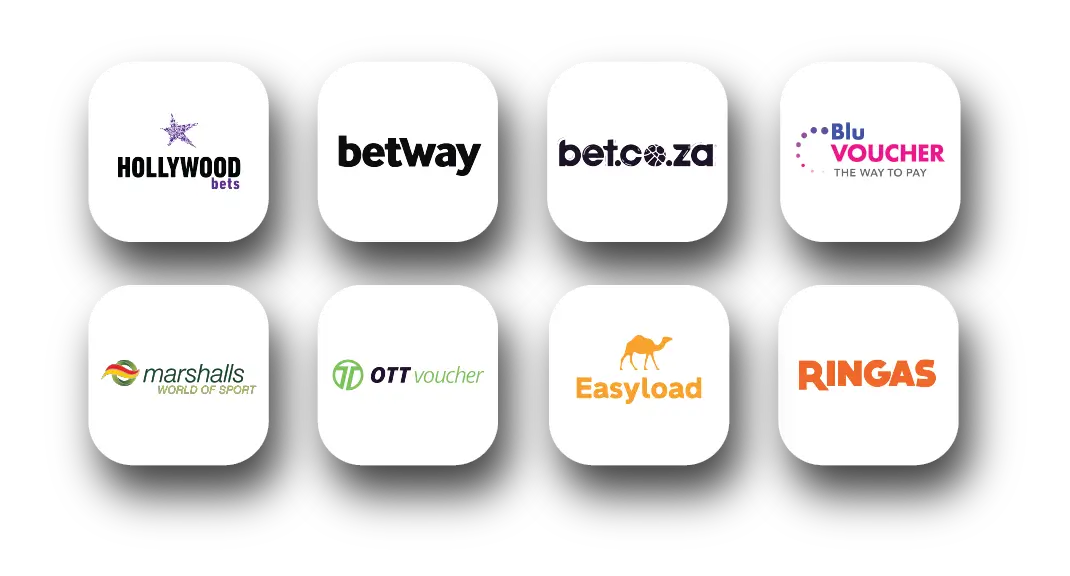
Looking to boost your sales and keep customers coming back? VodaPay vending just got an upgrade! With exciting new offerings like Hollywood Bets, Betway, OTT vouchers, and more, we’re making it easier than ever for merchants to deliver what their customers want - and grow their business in the process because, Sinawe!
You can sell these vouchers:

Gaming and Airtime Vouchers

Icons of the companies that offer vouchers

Discover how our expanded vending solutions can power your business

  • Increased Revenue: Drive more foot traffic and sales by offering sought-after products like Hollywood bets and OTT vouchers.
  • Ease of Access: Available on both the VodaPay Kwika and Max card machines, vending has never been more straightforward.
  • Diverse Offerings: Stay competitive by providing gaming vouchers and airtime solutions that your customers know and love.
     

Ready to take your business to the next level? Open your VodaPay app today and start vending! For more details, visit the VodaPay Card Machine Support page


Get the most out of your VodaPay card machine by following our step-by-step guides here:

Kwika
Max

"Find out how much you could earn by selling these vouchers. Click here for more details."

Page Description
Game On: Transform Your Business with our New Vending Solutions
Page Title
Boost your sales with our new vouchers
Keywords
boost sales, vouchers, gaming, airtime, VodaPay Kwika and Max card machines
Weight
0
Page Category
Page URL
/business/solutions/financial-services/article/boost-your-sales-with-our-new-vouchers

Home Internet Price updates

Home Internet Pricing Update 2026

Keeping you connected to what matters most

We’re committed to giving you a fast, smooth, and reliable experience. To support ongoing improvements, an annual price update will take effect from 1 February 2026.
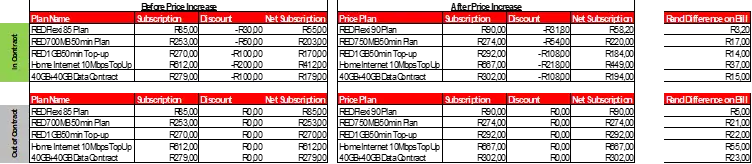
We’ve kept the increase as low as possible, with subscription changes ranging between 5% and 9%. Additionally, we’ve absorbed extra costs to ensure that device fees, SMS/MMS charges, and out-of-bundle data rates remain unchanged.

Here’s what this means for our customers:

  • Stay connected during outages with stronger backup systems
  • Stream and browse seamlessly with faster 4G and 5G speeds
  • Enjoy world-class performance with infrastructure upgrades
  • Get easy, effortless help with extra digital support

Thank you for choosing Vodacom, South Africa’s Champion Network, to keep you connected in 2026.

See your specific plan details below:
 

Home Internet

Price Plan NamePrice (incl. VAT)New Price (incl. VAT) % Increase
Home Internet 10Mbps FUPR415,00R452,008,91%
Home Internet 20Mbps FUPR538,00R585,998,92%
100GB Home Internet 10Mbps - 36MR653,99R712,008,87%
Home Internet 30Mbps FUPR658,00R717,008,97%
100GB Home Internet 10Mbps - 24MR786,00R856,008,91%
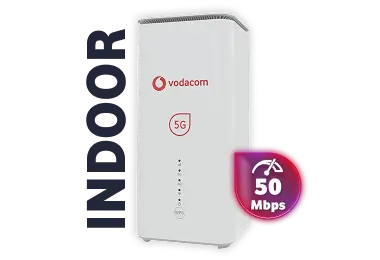
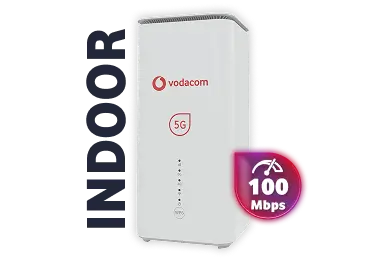
Uncapped Home Internet 5G 25Mbps-ContractR831,00R905,008,91%
Home Internet 50Mbps FUPR898,00R977,998,91%
200GB Home Internet 10Mbps - 36MR917,00R998,998,94%
200GB Home Internet 10Mbps - 24MR1048,00R1142,008,97%
100GB Home Internet 5G- Post 24MR1048,00R1142,008,97%
Uncapped Home Internet 5G 50Mbps-ContractR1068,99R1165,008,98%
Home Internet 100Mbps FUPR1258,00R1 371,008,98%
Uncapped Home Internet 5G 100Mbps-ContractR1306,00R1 423,008,96%
300GB Home Internet 20Mbps -36MR1311,00R1428,008,92%
200GB Home Internet 5G- Post 24MR1311,00R1569,008,92%
300GB Home Internet 20Mbps - 24MR1440,00R1569,008,96%
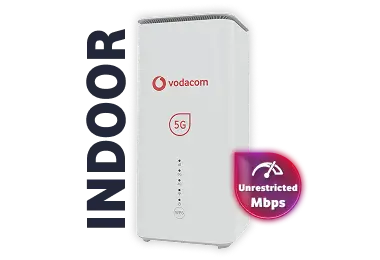
Uncapped Home Internet 5G Best Effort-ContractR1544,00R1682,008,94%
400GB Home Internet 20Mbps - 36MR1571,00R1711,998,97%
300GB Home Internet 5G- Post 24MR1571,00R1711,998,97%
400GB Home Internet 20Mbps - 24MR1702,00R1855,008,99%

Home Internet – Hybrid

Price Plan NamePrice (incl. VAT)New Price (incl. VAT) % Increase
Home Internet 10Mbps TopUpR612,00R667,008,99%
100GB Home Internet 10MbpsTopUp- 36MR653,99R712,008,87%
100GB Home Internet 10Mbps TopUp - 24MR786,00R856,008,91%
Uncapped Home Internet 5G 25Mbps-Top UpR831,00R905,008,91%
Home Internet 20Mbps TopUpR864,00R941,008,91%
200GB Home Internet 10Mbps TopUp- 36MR917,00R998,998,94%
100GB Home Internet 5G- TopUp 36MR917,00R998,998,94%
Home Internet 30Mbps TopUpR987,00R1075,008,92%
200GB Home Internet 10Mbps TopUp - 24MR1048,00R1142,008,97%
Uncapped Home Internet 5G 50Mbps-Top UpR1 068,99R1165,008,98%
Uncapped Home Internet 5G 100Mbps-Top UpR1306,00R1423,008,96%
300GB Home Internet 20Mbps TopUp- 36MR1311,00R1428,008,92%
200GB Home Internet 5G- TopUp 24MR1311,00R1428,008,92%
300GB Home Internet 20Mbps TopUp - 24MR1440,00R1569,008,96%
Uncapped Home Internet 5G Best Effort-Top UpR1544,00R1682,008,94%
400GB Home Internet 20Mbps TopUp- 36MR1571,00R1711,998,97%
300GB Home Internet 5G- TopUp 24MR1571,00R1711,998,97%
400GB Home Internet 20Mbps TopUp - 24MR1702,00R1855,008,99%
Unlimited Home Internet 5G- TopUp 24MR1835,00R2000,008,99%

Home Internet Price Increase FAQ’s

1. Why is there a price increase?

To keep you – and millions of South Africans – connected to the people and moments that matter most is at the heart of who we are. And to help achieve this, we continuously invest in our network to give you a fast, smooth, and reliable experience.

Vodacom SA plans to invest around R12.0 billion of capital expenditure in the current financial year to further enhance customer experience.  This highlights Vodacom’s ongoing commitment to network upgrades, expanding 5G coverage, and delivering advanced digital services to maintain world-class standards on South Africa’s Champion Network.

To support these improvements, there will be an annual price update from 1 February 2026. We’ve kept this as low as possible, with subscription changes ranging between 5%* to 9%.*


2. When will the annual price increase come into effect?

From 1 February 2026.

3. Will the annual price increase be applied to all plans?

The following postpaid contract plans: RED Integrated, RED Flexi, RED VIP, Home Internet (FWA), Mobile Broadband (SIM-Only data), and Legacy plans will be impacted by the price increase.

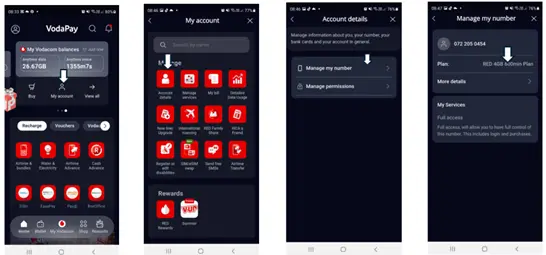
4. How do I know what price plan I am on?

Open the VodaPay app and then follow this pathway: View all > My account > Account details > Manage my number

6. Will this change my device financing?

No. We’ve absorbed additional costs to keep device fees, SMS and MMS rates and out-of-bundle data rates unchanged.

7. Are you allowed to change the price?

Vodacom reserves the right to update their terms and conditions as long as customers are made aware of any changes at least 20 working days beforehand. This also doesn’t breach Consumer Protection Act  as the increase is in line with inflation.

8. What if I only just signed my contract?

You’ve joined us during our annual price increase period, however we do understand your cost pressures. That’s why all new and upgrading customers will be given a 2 (two) months grace period.  Please see grace period timelines below.
CUSTOMER BASECOMMS DATEEFFECTIVE PRICE UPDATE DATE
Inflows & Upgrades
01 Nov – 31 Dec 2025
27 January 202601 March 2026
Inflows & Upgrades
01 Jan – 31 Jan 2026
13 February 202601 April 2026
Inflows & Upgrades
01 Feb – 05 Feb 2026
13 February 202601 April 2026
9. Does the price increase apply to family deals with three lines?

Yes, if the lines are chargeable then price increase will apply.

10. Does the price increase apply to 2025 Black Friday promotions?

Black Friday deals and promotions have been granted a 2-month grace period.  Their increase will be effective 01 March 2026.

11. Does the price increase apply if I’m no longer under contract and on a month-to-month basis?

Yes, it applies to all postpaid contract customers (in-contract and out-of-contract). Those out of contract may experience higher costs because of promotional add-ons and/or discounts falling away at the end of the contract term.

12. I didn’t get any notification of this update?

Vodacom will send out communication to existing customers both a combined email (inclusive of all plans) and an SMS between Mon, 08 - Tue 10 December 2025. Please see below table when price increase will impact customers who sign up or upgrade from 01 November 2025.

CUSTOMER BASECOMMS DATEEFFECTIVE PRICE UPDATE DATE
Inflows & Upgrades
01 Nov – 31 Dec 2025
27 January 202601 March 2026
Inflows & Upgrades
01 Jan – 31 Jan 2026
13 February 202601 April 2026
Inflows & Upgrades
01 Feb – 05 Feb 2026
13 February 202601 April 2026
13. How do I change or cancel my plan?

Please contact your Company Administrator, Account Manager or Customer Care on 082 1940.

*The details presented were accurate at the time of issuance. For the most current and verified information, please consult your official billing statement.

Page Description
To continue delivering the quality coverage and service you expect, we’ll be implementing our annual price update from 1 February 2026. This adjustment helps us keep up with inflation and rising operational costs, like electricity, maintenance and service delivery
Page Title
Home Internet Plans - Update | Vodacom Business
Keywords
terms, conditions, pricing, guide, Home Internet
Weight
0
Page URL
/business/terms/home-internet-price-plan-increase

2026 Pricing Update

2026 Pricing Update

PRICING UPDATE

RED Plans

PRICING UPDATE

Data Plans

PRICING UPDATE

Home Internet Plans

PRICING UPDATE

RED Flexi Plans

Page Description
To continue delivering the quality coverage and service you expect, we’ll be implementing our annual price update from 1 March 2025. This adjustment helps us keep up with inflation and rising operational costs, like electricity, maintenance and service delivery
Page Title
2025 Pricing Update | Vodacom Business
Keywords
annual price increase, price increase, price, increase, 2025
Weight
0
Page Category
Page URL
/business/terms/plans/annual-increase

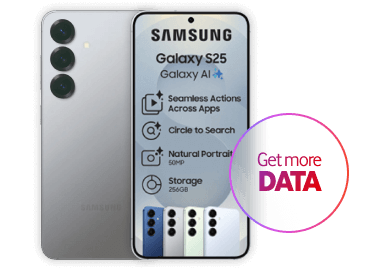
Samsung S25 Series

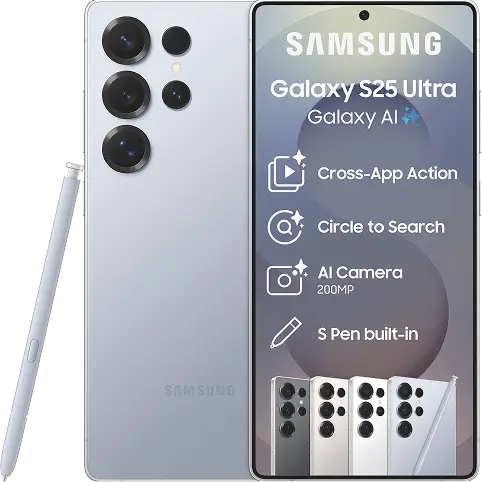
Samsung Galaxy S25 Series Deals

Samsung Galaxy S25 256GB

Red Business 7.6GB
6.6GB anytime Data | 400 Minutes | 1GB additional data| Free 30GB once off data

R1379 PM x 24
Apply now
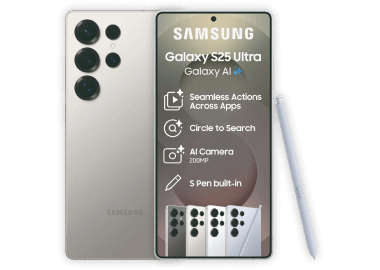
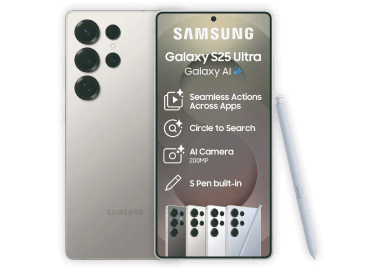
Samsung Galaxy S25 Ultra 1TB


Red Business 7.6GB
6.6GB anytime Data | 400 Minutes | 1GB additional data | Free 30GB once off data

R2049 PM x 24
Apply now
Samsung Galaxy S25 Ultra 256GB

On these price plansRed Business 7.6GB
6.6GB anytime Data | 400 Minutes | 1GB additional data | Free 30GB once off data

R1779 PM x 24
Apply now
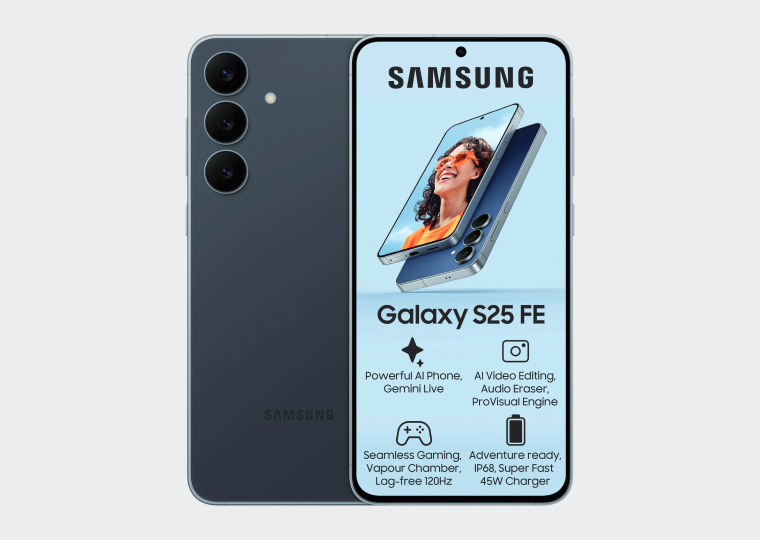
Samsung Galaxy S25FE

Red Business 7.6GB
6.6GB anytime Data | 400 Minutes | 1GB additional data| Free 30GB once off data"
 

R1169 PM x 24
Apply now
Simple. Impactful

Galaxy S25 Ultra's rounded design expresses a unified identity for the Galaxy S series. With its sleek and strong titanium frame and a built-in S Pen, it's an ultra-modern, vision of bold design.

Close up image of the camera on a Samsung Galaxy S25 Ultra
Press, talk, done

Seamlessly complete your tasks without having to switch between various apps. Simply press and hold the side button to access Google Gemini for help and it'll take care of things in one go.

A screenshot of the Ask Google Gemini experience
Go live, get answers

Have free-flowing conversation with Gemini Live to brainstorm ideas or prepare for presentations by attaching images and getting real-time responses that adapt to your conversation style.

Have free-flowing conversation with Gemini Live to brainstorm ideas
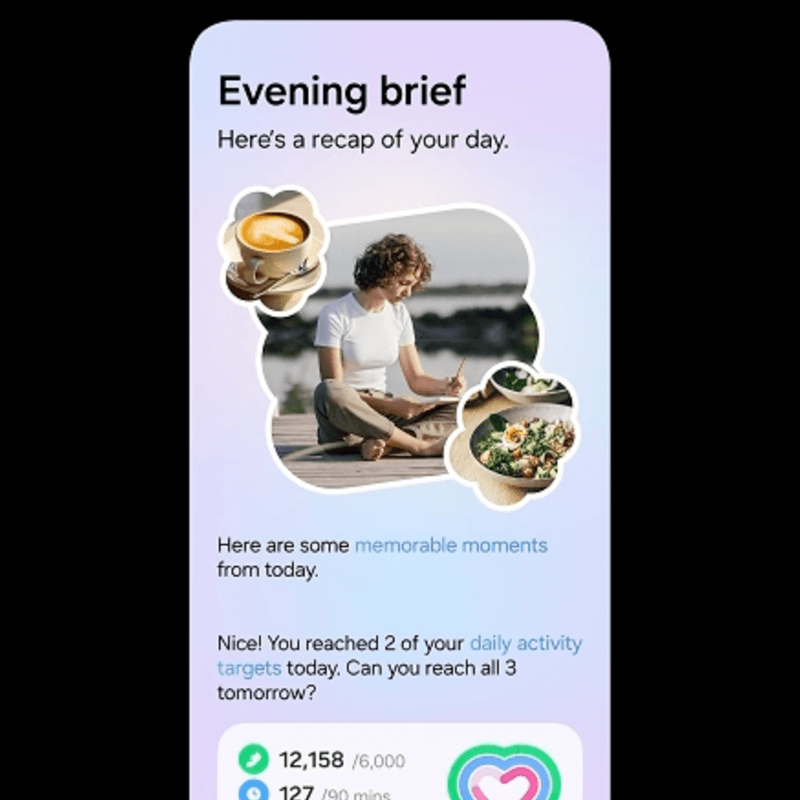
Personalised briefings for your day

Get personalised briefings throughout the day from the all-new Now Brief.

Start your morning with a run-down of the day ahead, such as checking your latest Energy Score and reminders of a busy schedule. Then, recap on the day's events in the evening with daily activity insights.

Get personalised briefings throughout the day from the all-new Now Brief
Page Description
The Samsung Galaxy S25 offers seamless connectivity and high performance. Explore the features and prices today. Pre-order the S25 in South Africa.
Page Title
Samsung Galaxy S25
Keywords
samsung s25, samsung s25 pre-order, samsung s25 price, samsung s25 in south africa
Weight
0
Page Category
Page URL
/business/shopping/deals/samsung-s25

Business Funding

Open Open Modal Open Modal Open Modal Business funding in just 24 hours - Apply now

APPLY IN JUST 10 MINUTES - YES, IT'S THAT EASY

Funding solutions for your business

Choose the option that best matches your business needs.

Need once-off funding or revolving capital?

Get access to a Business Term Advance for flexible and customised Capital Facility Funding.

WHAT YOU GET

  • Amount: R10k to R5m
  • Funding paid: Within 24 hours on successful applications

  • Repayment period: 3 - 12 months

APPLICATION REQUIREMENTS

  • Banking statements: 3 months
  • Minimum turnover: R40k a month or R500k a year
  • Registered business: Operational for 12 consecutive months
VodaLend Business Funding made easy
Need bridging finance fast?

Get access to Opportunity Bridge Funding for short-term funding or Large Business Funding for scalable growth.

WHAT YOU GET

  • Amount: R100k to R5m
  • Funding paid: Within 24 hours on successful applications

  • Repayment period: 3 - 24 months
  • Dedicated support: Business Funding Analyst

APPLICATION REQUIREMENTS

  • Banking statements: 12 months
  • Minimum turnover: R10M+ a year
  • Registered business: Operational for 3 consecutive years
  • Ownership: 3 consecutive years of stable ownership
VodaLend Business Funding made easy

BUILD FOR THE FUTURE WITH VODALEND

Get the VodaLend advantage today

Fast and easy application

Fast and easy application

Apply in minutes and get funded

Pay on your terms

Pay on your terms

No early repayment penalties

Trusted Partner

Trusted partners

Get the best business funding partners

Dedicated business service

Dedicated business service

Access to a business funding analyst

Why our customers rave about us

Kalinda

“We needed cashflow to fulfil orders, and VodaLend provided funds within 24 hours”

A woman speaking on her mobile phone
SOX

“When I got the funding, it felt like someone believed in my vision.”

A man holding a sock package in his hands
We’re here to help

Call: 082 1960
We’re open everyday from 8:00am to 7:00pm

An image of a support agent infront of her computer.

Frequently asked questions

Do I need to have a registered business to qualify for VodaLend business funding?

The qualification to Business Lending products do not require customers to be Vodacom customers. Anyone who has a business funding need and meets the qualifying criteria can apply for funding.

What is dedicated business services?

Dedicated business services gives you access to a dedicated business analyst. It is available exclusively on Opportunity Bridge Funding and Large Business Funding solutions. 

Can I use my smartphone to apply or do I need to fill in a form?

Our application process is paperless. Simply apply for a VodaLend Business Funding solution from any smart device. It’s quick and easy. 

Do I have to be a Vodacom customer to qualify

VodaLend’s business finance solutions are available to all South African businesses. Your cellular network provider, does not exclude you from accessing our business funding solutions. 

Page Description
Business funding made easier for you!
Page Title
Business Funding Solutions
Keywords
VodaLend Business Term Advance, Vodacom, business funding, vodalend
Weight
0
Page Category
Page URL
/business/solutions/lending/business-funding

What is VodaPay Vending

What is VodaPay Vending

VodaPay Vending gives your business the power to offer Value-Added Services (VAS) like airtime, electricity, and gaming vouchers—straight from your VodaPay card machine. Whether you're using VodaPay Kwika or VodaPay Max, you can unlock a new stream of income while giving customers what they need, instantly.

VodaPay Max

A robust platform designed to help you offer customers seamless services like bill payments and airtime purchases. Max
simplifies the customer experience and enhances your business’s profitability.

1. Activate Admin Account

Open the VodaPay Vending App and follow the on-screen prompts. Your authentication code is the last 8 digits of your VPS Number.
For example: If your VPS number is VPS123456789102, the authentication code will be 56789102.

2. Create Cashier Account:

Create a cashier account to selling prepaid products for more information watch the Max Vending tutorial videos  

3. Get EasyPay Number

Before you can top-up your account, print this number, for more information watch the Max Vending tutorial videos

4. Top-up your account

Using the EasyPay number, top-up your account online for more information read the TopUp article - Article - How to top up your VodaPay Vending balance to start selling 

Max vending machine

VodaPay Kwika

Kwika is an innovative offering that ensures quick and efficient customer transactions, creating unparalleled convenience for your customers.

1. Activate Admin Account

Open the VodaPay Vending App. For more information: go to the Kwika Vending Videos

2. Get EasyPay Number

Before you can top-up your account, print this number, for more information watch the Kwika Vending Tutorial Video -  EP number: How to top up your VodaPay Vending Account

3. Top-up your Account

Using the EasyPay number, top-up your account online for more information read the article - How to top up your VodaPay Vending balance to start selling 

Kwika machine

Products Available:

Airtime and Bundles

Airtime and Bundles

  • Vodacom, 
  • MTN, 
  • Cell C, 
  • Telkom
  • Easyload
  • Ringas
     
Electricity, Gas and Water

Electricity, Gas and Water

  • Eskom 
  • City of Cape Town 
  • City Power 
  • Ekuhuleni and more… 
     
Account Payments

Account Payments

  • Telkom 
  • Vumatel 
  • SABC
  • Edgars 
  • TFG 
  • Postpaid electricity and more… 
     
Gaming

Gaming

  • HollywoodBets
  • Bet.co.za 
  • OTT Voucher 
  • Blu Voucher 
     

Frequently asked questions about VodaPay Vending

1. What is VodaPay Vending

It’s a feature that enables your VodaPay card machine to sell prepaid products such as airtime, electricity, and gaming vouchers. You can also accept payments from customers using the same device.

2. Why should I use VodaPay Vending
  • Attract more foot traffic to your store.
  • Earn commission with every sale.
  • Access a wide variety of products, including exciting new gaming vouchers.
  • It's all available on both Kwika and Max card machines.
     
3. How do I load funds to start selling VAS to my customers?

This can be done quick and easy by reading your “how to top up your VodaPay Vending balance to start selling” article here.

4. . Do I get commission for selling these vouchers/tokens?

Yes! Every sale earns you commission.
Read this article to learn how to maximise your income.

5. Why can’t I access the Vending app on my card machine?

If your device has been active for over 48 hours and you're seeing a “Device not figured” error, contact our support team:
0800 000 654
[email protected]
 

6. Why can’t I see the Gaming icon on my VodaPay Max card machine?

You may need a software update. Please contact:

0800 000 654
[email protected]
 

Need Help? We're Here for You


For technical support, contact Vodacom Payment Services Support:
Call: 0800 000 654
WhatsApp: 072 605 9421
Email:[email protected]
Operating Hours: 7 days a week, including public holidays, from 07:00 to 19:00

Pro Tips for Smooth Vending

  • Choose the Best Network: Optimise your machine's performance by selecting the strongest signal in your area.
  • Maximize your Income: Get setup right away - with the easy steps above you can do it yourself. No need to wait on the Technical Support.

Where to get started:

  • The Call Centre: 0800 000 654
  • In-store at participating Vodacom outlets

VodaPay Vending – just helping businesses grow by offering more to every customer, with every transaction.


Page Description
VodPay Vending transforms your card machine into a versatile tool, enabling it to sell value-added services (VAS) like prepaid airtime and electricity. Additionally, it allows you to accept bill payments for DStv, EasyPay accounts and much more.
Page Title
What is VodaPay Vending
Keywords
vodapay card machine, max, kwika, vodacom business
Weight
0
Page URL
/business/solutions/financial-services/article/what-is-vodapay-vending

Business Internet Deals

Business Internet Deals

Business Internet LTE 10Mbps

Plug & Play

Business Internet LTE 10Mbps

Reliable 10Mbps LTE Business Internet

From R399 PM x 24
Apply now
Business Internet 5G 25Mbps

Connect Multiple Users & Devices

Business Internet 5G 25Mbps

Blazing-fast speeds with 5G Business Internet

From R799 PM x 24
Apply now
Business Internet Fibre Lite 20Mbps

Uncapped & Unthrottled

Business Internet Fibre Lite 20Mbps

High-Speed Fibre Lite Business Internet

From R499 PM x 24
Apply now
Page Description
Business Internet Deals by Vodacom Business
Page Title
Business Internet Deals
Keywords
Business Internet Deals, Vodacom Business
Weight
0
Page Category
Page URL
/business/shopping/deals/business-internet-deals

Max Vending Tutorial Videos

Max Vending Tutorial Videos

MAX VAS - Onboarding Thumbnail

MAX VAS Admin

Onboarding video

11 easy steps to get started with VodaPay Vending

Add Cashier

MAX VAS Admin

Add Cashier

7 easy steps to add a cashier user

Shift Management

MAX VAS

Reports EasyPay Number

6 easy steps to checking your EasyPay number

Airtime

MAX VAS

Airtime

7 easy steps to selling Airtime Vouchers

Airtime Pinless

MAX VAS

Airtime Pinless

8 easy steps to selling Pinless Airtime Vouchers

Electricity Tokens

MAX VAS

Electricity Tokens

8 easy steps to sell electricity tokens

Electricity FBE

MAX VAS

Electricity FBE

8 easy steps to issue Free Basic Electricity (FBE)* tokens

Electricity Revend

MAX VAS

Electricity Revend

8 steps to revend an electricity token

BP EasyPay

MAX VAS

BP EasyPay

8 easy steps to take an EasyPay payment

Reports Account Balance

MAX VAS

Reports Account Balance

6 easy steps to checking your Account Balances

Reports Statement

MAX VAS

Reports Statement

7 easy steps to checking your Statements

Reports Daily Purchases

MAX VAS

Reports Daily Purchases

6 easy steps to checking your Daily Purchases

Reports Daily Sales

MAX VAS

Reports Daily Sales

6 easy steps to checking your Daily Sales

Reports Shift

MAX VAS

Reports Shift

7 easy steps to checking your Shift Report

Reprint

MAX VAS Admin

Reprint

6 easy steps to reprint a transaction

Add Admin

MAX VAS Admin

Add Admin

7 easy steps to add a cashier user

MAX VAS Admin

EOS

6 easy steps to Ending a Shift

Remove Cashier

Remove Cashier

Remove Cashier

8 easy steps to removing a cashier user

Page Description
Max Vending Tutorial Videos
Page Title
Max Vending Tutorial Videos
Keywords
Max Vending Tutorial Videos, POS, Support
Weight
0
Page Category
Page URL
/business/solutions/financial-services/max-vending-tutorial-videos

MAX Tutorial Videos

MAX Tutorial Videos

Device Setup Steps

MAX

Device Setup Steps
Shift Management

MAX

Shift Management
Changing Supervisor Pin

MAX

Changing Supervisor Pin
Cashier Management

MAX

Cashier Management
Activate Tip Functionality

MAX

Activate Tip Functionality
Tip & Cashier Activated

MAX

Tip & Cashier Activated
Reversing a sale steps

MAX

Reversing a sale steps
Sales Refund Steps

MAX

Sales Refund Steps
View and Print Transactions

MAX

View and Print Transactions
Change Sim Card Connection

MAX

Change Sim Card Connection
Silent Mode Icon

MAX

Silent Mode Icon
Page Description
MAX Tutorial Support Videos
Page Title
MAX Tutorial Videos
Keywords
MAX Tutorial Support Videos, POS
Weight
0
Page Category
Page URL
/business/solutions/financial-services/max-tutorial-videos

Kwika Vending Tutorial Videos

Kwika Vending Tutorial Videos

Kwika VAS - VAS Onboarding Thumbnail

Kwika

VAS Onboarding

Getting started with VAS Vending on your VodaPay Kwika ​

KWIKA

EP number

How to top up your VodaPay Vending Account

How to sell airtime

KWIKA

Airtime Vouchers

How to sell an Airtime Voucher

How to sell pinless airtime

KWIKA

Pinless Airtime

How to top up your VodaPay Vending Account

How to sell electricity

KWIKA

Electricity

How to sell an Electricity Token

kwika

KWIKA

EP bill payment

How to take a DStv Subscription Payment

Kwika VAS - VodaPay Vending Thumbnail

VODAPAY VENDING

Card Payments

How to accept card payments on your VodaPay Kwika Card machine when using the VAS Vending feature

See account balance

KWIKA

Account Balance

How to build your business your way by selling value-added services

Kwika - Statement

KWIKA

Statement

How to check your VodaPay Vending VAS Reports

Kwika VAS - Daily Purchases Thumbnail

KWIKA

Daily Purchases

How to check your VodaPay Vending VAS Reports

Page Description
Kwika Vending Tutorial Videos
Page Title
Kwika Vending Tutorial Videos
Keywords
Kwika Vending Tutorial Videos, POS, support
Weight
0
Page Category
Page URL
/business/solutions/financial-services/Kwika-vending-tutorial-videos