Converged Portal

Converge portal

Converged portal is a free self-service tool for Mobile and fixed lines management for Vodacom business customers. It allows you to manage your Vodacom Business Corporate, SMME or Government entities accounts and services from a single site and can be accessed any time of the day. It also provides the flexibility to view and manage your corporate accounts independently, without the need of contacting customer service representatives.

Types of transactions
  • Check balance status on Voice, Data and SMS
  • Check account and line level bill so far
  • Perform SIM swap
  • Recharge postpaid Voice, Data and SMS
  • Update subscriber details
  • Perform Bulk SIM swap and update user details
  • Upgrade contract lines
  • Retrieve SIM details
  • Download invoices, statements & VAS reports
  • Call Limit Management
  • Log a service request
  • Manage fixed solutions
Converged Portal Transaction

More reasons to use Vodacom Business self-service

Available any time

Available any time

We know that business hours don't always end at 5pm. With Vodacom Business self-service, you can top up your data and manage your products conveniently at any time.

Add and remove users

Add and remove users

If you're the administrator, you can add/remove users or 'contacts' and assign different roles, products and responsibilities to each.

FREE to use

FREE to use

Vodacom Business self-service is FREE to use for all Vodacom Business customers with fixed-line Internet, One Net Express and hosting and domain products.

Looking to upgrade your base?

Registered Corporate administrators can perform single line upgrade on the Converged Portal any time of day.
Vodacom Contracts are usually 24 months long, but from month 22, Corporate administrators can upgrade
Mobiles lines within their base to a brand new make and model. Once you've chosen your deal online,
simply check-out in two easy steps and get FREE next-day delivery to your door!
 

Account administrator functionalities on CP
  • Download invoices, statements, data usage reports
  • Perform SIM management activities like locking lines and SIM swaps
  • Call limit management
  • Manage permissions
  • Edit user details
  • Top up users data, voice and SMS
  • Enjoy a rich dashboard of detailed account information
Converged Portal Account Admin

FAQs

How to locate to the Converged Portal?

The converged Portal is hosted on the Vodacom Business website, Vodacom Business customers can click on the Business tab on the website. Alternatively click.

How to log on to the Converged Portal?

The Converged Portal is located on the Vodacom Business website and the human icon on the right hand side of the website will reveal the log in tray.
Vodacom Business Customers can click on the log in button to access to the Converged Portal. Vodacom Business customer can register a new account by clicking the Register now prompt, A new account will be created within 16 Business hours after verification. Vodacom Business customer with existing credentials can enter the details and log on to the portal. Vodacom Business Converged portal existing users can retrieve username and password on the Log on page.

How to retrieve a username:

  1. Click on the username tab
  2. Enter the registered email address
  3. Complete the captcha and submit
  4. The user will receive an email of the user name.
How to reset a password?

How to reset a password:

  1. Click on the password tab
  2. Enter the username
  3. Complete the captcha
  4. Enter the new password
  5. Submit and the password change will be processed
How to purchase a data bundle or voice bundle?
  1. Search the cell number
  2. On the Line level dashboard
  3. Click on the buy prompt
  4. Bundle type option will present the type of offering Voice, Data and SMS
  5. Select the time span of bundle, whether reoccurring or once off
  6. Select product bundle required
  7. Accept the terms and conditions
  8. A pin less recharge will be performed on the designated line.
  9. A confirmation screen will be displayed.
How to download a statement & invoice?

Vodacom Business customers will be able to download Itemised Billing, Individual invoice, data usage report, subscriber detailed report, call limit, Statement and Value added services report.

  1. Select reports tab
  2. The select a report page will be displayed with the option to select the report type.
  3. The user will select the reports type

The user will presented with second menu to select various parameters

  1. Report Type
  2. Select the start and end date of the required report
  3. Select the format type (Excel, PDF or CSV)
  4. Enter the account Number or cell phone number
  5. User will be prompted to submit the request
  6. An acknowledgement screen will be displayed
  7.  The report will download or emailed to the user email address
How to perform a sim swap?

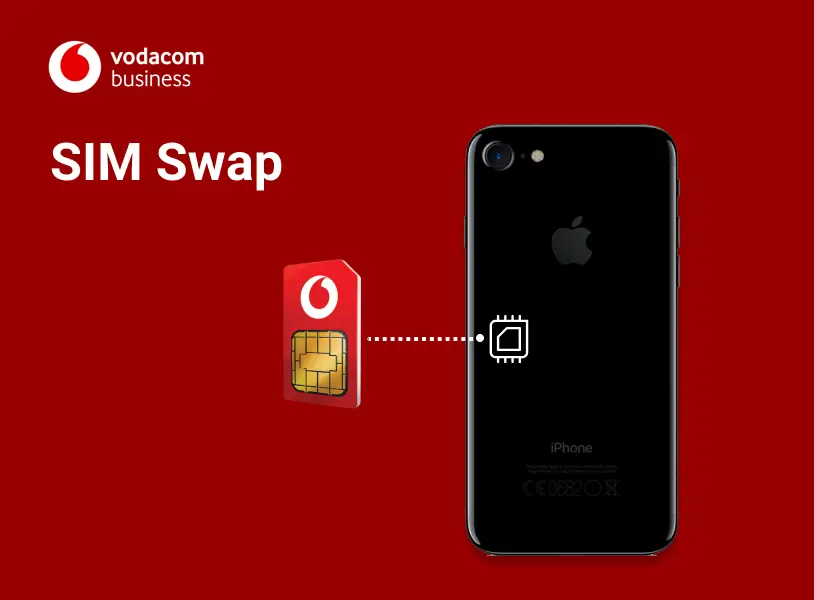
There are many reasons you might need a new SIM. You may have lost or damaged your existing SIM or you need to exchange your SIM for a smaller Micro SIM or Nano SIM card to fit into a new device. When performing a SIM swap, all your services remain unchanged due to the services being linked to your cell phone number and not the SIM number. The PIN and PUK numbers of your new SIM will not be the same as the old SIM card. Your RICA information will also be moved to the new SIM when the SIM swap is successful. Thankfully, this doesn’t mean that you have to get a new number. You can do a Vodacom SIM swap and still keep your old number, whether you’re on Prepaid or Contract.

  1. On the short cut menu on the left displayed on the account dashboard page

  2. Select ‘SIM swap’ from the menu

  3. Enter the cell phone number to be sim swapped

  4. SIM Swap terms and conditions page will be displayed, user will be required to accept the terms and conditions

  5. Select the next prompt to accept the terms and conditions

  6. The Cell phone number you have searched will be prepopulated as per screen on the left

  7. The User will prompted to add the 20 digit SIM number

  8. he user will be presented with acceptance of Terms and conditions and confirmation. The user will be alerted that verification OTP will be sent to the user.

  9. The OTP (One Time Pin) page will be displayed with text field to allow the user to input the pin. Once The OTP inserted the click Next and success page will be displayed

Red Vodacom speech mark icon with "Further Together" branding.
Page Description
Manage your business internet products online. Business self-service to top up your data, request service, view data balance and manage your One Net Express product online.
Page Title
Business Self Service
Keywords
Business, Self-Service, Manage, Business Self Service
Weight
0
Page Category
Page URL
/business/solutions/converged-solutions/business-self-service

Vodacom Microsoft Services

Why Vodacom Business for Microsoft?

As a trusted leader in telecommunications, Vodacom offers an unmatched synergy with Microsoft, providing a seamless experience that empowers businesses to thrive in the digital era. With our comprehensive suite of Microsoft services, tailored to suit your specific requirements, we ensure enhanced productivity, collaboration, and efficiency. Our team of expert consultants understands your unique business challenges and leverages Microsoft's cutting-edge solutions to drive transformative outcomes. Whether it's cloud services, enterprise applications, or security solutions, Vodacom Business delivers innovative technology backed by exceptional support. Join countless satisfied clients who have chosen Vodacom Business as their preferred Microsoft services provider and unlock the full potential of your organization.

Vodacom Microsoft Services

Image
Microsoft Teams Voice Breakout

A modern internet cloud-based telephony solution that integrates into Office 365. It transforms how work gets done by unifying calling, chat, meetings, calendar, web conferencing and email for an all-in-one communication solution.

Image
Microsoft Azure
Microsoft Azure

A cloud platform with more than 200 products and cloud services designed to help you bring new solutions to life-to solve today’s challenges and create the future. Build, run, and manage applications across multiple clouds, on-premises, and at the edge, with the tools and frameworks of your choice.

Image
Modern Workplace
Modern Workplace

A bundled solution for any business occasion. Vodacom's Modern Workplace Bundles powered by Microsoft, offers a range of different options and price points to best suit your business needs and budget.

Image
Professional and Managed Services

Through our subsidiary, Nexio, we specialize in delivering professional and managed services on both M365 and Azure. Our team of experienced professionals can help you with a wide range of services.

GET IN TOUCH

Get in touch to get connected

Get Vodacom Microsoft Services

Page Description
Transform and modernize your workplace with our Microsoft Services, including MS Teams Voice Breakout, Azure, and Modern Workplace Bundles to suit your budget.
Page Title
Microsoft Modern Workplace Services
Keywords
microsoft services, microsoft professional services, microsoft modern workplace, modern digital workplace microsoft
Weight
0
Page URL
/business/solutions/hosting/microsoft-services

Business One+

Why Vodacom BusinessOne+?

Vodacom BusinessOne+ enabled by the SAP Business One solution is a business management software designed for small and medium-sized enterprises. SAP Business One is a single and affordable business management system to manage your entire business from accounting, financials, inventory, sales, warehousing, and customer relationships to reporting and analytics. As an Enterprise Planning Resource (ERP) system, BusinessOnemmm+ can streamline key processes to give you better insights into your business and enable you to make data-driven business decisions with near real-time information to drive profitable growth.

With our Vodacom BusinessOne+ you can improve your business efficiencies, run your business operations more smoothly while automating manual tasks, and have instant access to data and insights that can help your business make better operation decisions.  

Vodacom BusinessOne+ empowers a connected society and businesses, using technology to transform businesses and enable a client-centric and digitally connected.

Ratio 9_16-Hands using phone with data on laptop

Vodacom BusinessOne+ Benefits

  • 01
    Simple, Transparent & Affordable Pricing

    Take advantage of our affordable pricing models and service catalogue that suits your budget and digital transformation goals for your business.

  • 02
    Operate efficiently and effectively

    Our Vodacom BusinessOne+ bundle is designed to reduce redundancies, manual errors, optimizes your business processes to accelerate your business to new heights with the automation of various business functions and facilitating higher quality decisions making.

  • 03
    Improve Customer Relationship and Engagement

    Empower the sales team with real-time information to improve engagement with customer’s on-the-go.

Vodacom BusinessOne+ Features

Grow Your Business Using Streamlined Operations

Obtain a complete view of your business from a single accurate source and enable users to access precise information needed to operate your company efficiently.

Fast Implementation for Quick ROI

Predictive intelligence allows businesses to take proactive measure. Help businesses get up and running quickly so that businesses can get results faster.

Automate Workflow & Processes with Predictive Intelligence

Predictive intelligence allows businesses to take proactive measures with automatic alerts, workflows, and responses to key events.

Respond in A Timely Manner to Customer Needs

The ability to analyze information from a single source allows better decision-making to meet evolving customer trends.

Eliminate Redundant Data Entry and Error

Increase efficiency across departments by integrating business processes and workflows. Eliminate repetitive data entry and human-prone errors.

Vodacom BusinessOne+ Offering includes

Image
case-study
SAP Business One licenses and functionality
Image
Icon
Disaster Recovery Service
Image
Icon 3
Backup Service
Image
Icon 4
Vodacom Connectivity (Optional)
Image
Icon 2
Norton Security (Optional)

GET IN TOUCH

Get in touch to get connected

Get Vodacom OneBusiness

Page Description
Our business software solution designed together with SAP Business One, makes enterprise resource planning and digital tools affordable even for SME’s.
Page Title
Vodacom OneBusiness Business Management Software
Keywords
business process management system software, best business management software, business management software
Weight
0
Page Category
Page URL
/business/solutions/hosting/onebusiness

VodaTrade Core

Why VodaTrade Core?

VodaTrade Core provides a managed service that helps connect to our customers and their trading partners quickly and easily. We take care of the complexities so you can enjoy a digital experience. VodaTrade Core, also known as Vodacom Trading Bridge is the managed and automated B2B e-commerce service that gives customers a smoother and more effective inter-business operation.

Ratio 1_1-Woman hand on phone close up

Key Benefits of VodaTrade Core

  • 01
    Gain deeper customer intelligence

    Build personalized solutions and provide end to end visibility


  • 02
    Build key partnerships

    Enable international and African reach.

  • 03
    Experienced provided

    Fully managed service with world class support and service management

Key VodaTrade features

Image
Seamless Operations
Seamless Operations

Enjoy smoother operations and more effective business operations.

Image
Reduced Cost
Reduced Cost

Significantly reduce cost of maintenance and operational overheads.

GET IN TOUCH

Get in touch to get connected

Get VodaTrade Core

Page Description
Simplify and streamline your supply chain operations, Connect with partners, gain customer insights, and reduce costs with our automated supply chain solution.
Page Title
Automate Your Supply Chain with VodaTrade Core
Keywords
supply chain automation, supply chain management, supply chain solutions south africa
Weight
0
Page Category
Page URL
/business/solutions/hosting/vodatrade-core

Professional Microsoft Services

Why Vodacom for Managed and Professional Microsoft services?

Through our subsidiary, Nexio, we specialize in delivering professional and managed services on both M365 and Azure. Our team of experienced professionals can help you with a wide range of services.

Key benefits for Managed and Professional Microsoft services

Number 1
Increased Operational Efficiencies

Accelerate business results with Azure Analytics, AI and Power BI

Number 2
Best practice compliance and security

Improve employee productivity and security with Microsoft 365 and Azure Security

Number 3
Focus on Collaboration and Innovation

Our distinctive digital business platform drives visibility, control, optimization, and security across organizations

Managed and Professional Microsoft Benefits

What we offer

M365 deployment and migration

We can help you set up and deploy M365 for your organization, as well as assist with any migration needs you may have.

Azure implementation and management

We can help you take advantage of all that Azure has to offer, from implementation and setup to ongoing management and support.

Professional services

Our team can provide expert guidance and assistance with a wide range of services, including project management, business analysis, and technical consulting.

Managed services

Let us take care of the day-to-day management and maintenance of your M365 and Azure environments, so you can focus on running your business.

GET IN TOUCH

Get in touch to get connected

Get Vodacom Managed Services

Page Description
Vodacom's Professional & Managed Microsoft services help you Accelerate results, improve security, and drive innovation. Specializing in M365 & Azure
Page Title
Transform Business with Managed Microsoft Services
Keywords
microsoft managed services, microsoft managed service accounts, microsoft professional services, microsoft dynamics professional services
Weight
0
Page Category
Page URL
/business/solutions/hosting/managed-microsoft-services

eSIM

What is an eSIM?

An eSIM (embedded SIM) is a tiny chip installed in your device that connects to the mobile network, similar to a physical SIM.

  • It cannot be physically removed or replaced.
  • During set up, an eSIM profile is loaded onto your device through an internet connection.
  • The eSIM profile contains the same information previously stored on a physical SIM

Is your device eSIM compatible?

Find out if your device can operate with eSIM with our list of compatible devices.

    iPhone iPad
    ·       iPhone 11 ·       iPad Pro 12.9 inch (5th generation)
    ·       iPhone 11 Pro ·       iPad Pro 12.9 inch (4th generation)
    ·       iPhone 11 Pro Max ·       iPad Pro 12.9 inch (3rd generation)
    ·       iPhone 12 ·       iPad Pro 11 inch (3rd generation)
    ·       iPhone 12 mini ·       iPad Pro 11 inch (2nd generation)
    ·       iPhone 12 Pro ·       iPad Pro 11 inch (1st generation)
    ·       iPhone 12 Pro Max ·       iPad 10.2 inch (7th generation)
    ·       iPhone 13 ·       iPad Air (4th generation)
    ·       iPhone 13 (dual eSIM) ·       iPad Air (3rd generation) (2019)
    ·       iPhone 13 Mini ·       iPad mini (5th generation) (2019)
    ·       iPhone 13 mini (dual eSIM) ·       iPad (8th generation)
    ·       iPhone 13 Pro ·       iPad (7th generation)
    ·       iPhone 13 Pro (dual eSIM)  
    ·       iPhone 13 Pro Max  
    ·       iPhone 13 Pro Max (dual eSIM)  
    ·       iPhone 14  
    ·       iPhone 14 Plus  
    ·       iPhone 14 Pro  
    ·       iPhone 14 Pro Max  
    ·       iPhone SE 2 (2020)  
    ·       iPhone SE 2020  
    ·       iPhone SE 3 (2022)  
    ·       iPhone XR  
    ·       iPhone XS  
    ·       iPhone XS Max  
    Samsung Huawei Google
    •                    Samsung Galaxy A54 •            Mate 40 ·        Pixel 3
    •                    Samsung Galaxy Fold •            Mate 40 Pro ·        Pixel 3 XL
    •                    Samsung Galaxy Note 20 •            Mate 40 Pro+ ·        Pixel 3a
    •                    Samsung Galaxy Note 20 Ultra 5G •            P40 ·        Pixel 3a XL
    •                    Samsung Galaxy S20 •            P40 Pro ·        Pixel 4
    •                    Samsung Galaxy S20 FE 4G/5G •            P40 Pro+ ·        Pixel 4a
    •                    Samsung Galaxy S20 Ultra   ·        Pixel 5
    •                    Samsung Galaxy S20 Ultra 5G    
    •                    Samsung Galaxy S20+    
    •                    Samsung Galaxy S20+ 5g    
    •                    Samsung Galaxy S21    
    •                    Samsung Galaxy S21+ 5G    
    •                    Samsung Galaxy S21+ Ultra 5G    
    •                    Samsung Galaxy S22    
    •                    Samsung Galaxy S22 Ultra    
    •                    Samsung Galaxy S22+    
    •                    Samsung Galaxy S23    
    •                    Samsung Galaxy S23 Ultra    
    •                    Samsung Galaxy S23+    
    •                    Samsung Galaxy Z Flip    
    •                    Samsung Galaxy Z Flip3 5G    
    •                    Samsung Galaxy Z Flip4    
    •                    Samsung Galaxy Z Fold2 5G    
    •                    Samsung Galaxy Z Fold3 5G    
    •                    Samsung Galaxy Z Fold4    
    Oppo
    • Find X3 Pro

    Why switch to eSIM?

    Flexibility

    Flexibility

    No more plastic SIM cards required - more flexibility, less logistics.

    Easy access

    Easy access

    Changing is easy as we send your eSIM straight to your inbox.

    Reusable

    Reusable

    eSIMs are reusable, so you can change or upgrade your devices with­out a SIM swap.

    Convenient

    Convenient

    Keep your business number and personal number on the same device.

    What you need to get an eSIM

    An eSIM compatible device

    An eSIM compatible device

    An email address

    An email address

    Internet access (WiFi) to connect your device

    Internet access (WiFi) to connect your device

    We will send you an email with an activation code (QR code).
    Just follow the instructions in the email to activate the eSIM and you’re all set.

    Get started with eSIM

    Switch your numbers to eSIM

    Switch your numbers to eSIM

    For security reasons, a SIM swap to eSIM can only be requested by the company's authorised contact. Swapping to an eSIM will stop the physical SIM from working.

    Activate new eSIM numbers

    Activate new eSIM numbers

    Get in touch or talk to your account manager today to activate your new eSIM numbers. Remember to always check your devices are eSIM capable. Corporate Customers can use Vodacom Corporate Online

    FAQs

      We need an email address for each eSIM, where we send the QR code. It can be sent either:

      • Directly to the eSIM user to activate, if individual emails are provided, or;
      • To a company admin email, if a centralised address is preferred. The email owner will distribute the eSIMs/QR codes within the organisation
      • The rest of the steps are simple, just follow the email instructions by connecting the device to the internet or WiFi first.

      We will send you all the newly allocated numbers as they are needed in the activation process.

      While smartwatches like the Apple Watch and others have an eSIM, they operate differently from phones and tablets, being designed as companion devices connected to a primary number/device.

      Currently we are not supporting smartwatches connected to a business number for customers with more than 10 employees.

      No, the eSIM connection is secured. The QR code will not work while the eSIM is active on another device. Once the eSIM is deleted from one device, the QR code can be reused to download the eSIM on another.

      No, the QR code can be scanned on any eSIM device, provided it is unlocked. Devices from other operators must be unlocked first to activate the eSIM.

      You should be able to identify the numbers using the 4 visible digits displayed in the activation email’s subject.

      The same QR code can be used to download the eSIM on the device again.

      Lost your QR code? Get your company’s authorised contact to call our customer services on 191, and they can resend it.

      Corporate customers can use Vodacom Corporate Online to reclaim their QR codes.

      Please call us to report the lost or stolen phone so we can block the Vodafone eSIM number; this will make the old QR code unusable. A SIM swap can then be requested through Swap your SIM - either to a physical SIM or another eSIM.

      Other connections to different networks on the lost device (if existent) will have to be reported to the respective providers.

      They should always delete the eSIM profile first before returning the device to be repaired. For help on how to do this, please read the relevant device guide.

      There are two options to use the number while waiting for the device to be fixed:

      Move the eSIM onto another eSIM device by reusing the QR code; or
      If the device is unusable and profile cannot be deleted, request a SIM swap to a physical SIM or another eSIM through Swap your SIM.

      Yes, we can port in numbers from other networks on eSIM.

      GET IN TOUCH

      Get in touch to get connected

      Get Vodacom Business eSIM

      Page Description
      Experience the new eSIM technology and the convenience of the flagship device that are now dual SIM, having both an eSIM and physical SIM.
      Page Title
      eSIM for Business Customers
      Keywords
      E-sim, Dual sim, Embedded sim, New technology sim, Simless phones
      Weight
      0
      Page Category
      Page URL
      /business/solutions/mobile-and-voice/esim

      Vodacom Secure Enterprise

      Why Secure Enterprise?

      Protect your data with best of breed cyber security and managed threat detection. Secure Enterprise is an agile framework of services that can be selected to meet your specific secure connectivity needs, whether this is SASE, SSE, ZTE or other. Vodacom is uniquely placed to design, build and manage the end-to-end service as a technology partner, offering an orchestrated single vendor or multi-vendor approach. Experience Vodacom secure connectivity to meet your needs for today and the future​.

      RETOUCH-RED

      Key Benefits of Vodacom Secure Enterprise

      • 01
        Secure Everywhere

        Your business' network traffic and data can move securely at speed through our powerful world-wide domestic and global Software-Defined Networks.


      • 02
        Enterprise agility

        By choosing to implement Vodacom Business Secure  Enterprise as a managed service, you could turn CapEx into OpEx, and free up in-house resource to deliver further value-add services.

      • 03
        Total Confidence

        Secure Enterprise unlocks secure access to cloud-based applications, helping your teams stay agile. Expect an uplift in productivity when embracing cloud freedom.

      Key features of Secure Enterprise

      Image
      Borderless
      Borderless confidence

      Our global network keeps your business operating securely at speed across global markets.

      Image
      Best
      Best-of-breed services

      We curate solutions to build your ideal stack - offering you single or multi-vendor solutions that meet your needs.

      Image
      Flexibility
      Flexibility without compromise

      You can get your service fully integrated and managed, co-managed, or you can manage it in-house.

      GET IN TOUCH

      Get in touch to get connected

      _________

      Get Vodacom Secure Enterprise

      Page Description
      Protect your data with world leading network connectivity and best of breed cyber security from Vodacom. Our Secure Enterprise services are designed for businesses of all sizes.
      Page Title
      Vodacom Secure Connected Enterprise
      Keywords
      secure connectivity, network security solutions, enterprise connectivity, Vodacom Secure Enterprise, Vodacom Secure Connected Enterprise, Secure Connected Enterprise
      Weight
      0
      Page Category
      Page URL
      /business/solutions/hosting/secure-enterprise

      Vodacom Samsung Knox

      Why Samsung Knox from Vodacom?

      Samsung Knox was built to help businesses and professionals to enhance their workflows, and to enable them to innovatively use and manage devices. Samsung Knox from Vodacom caters to businesses of all sizes from small start-ups to enterprises with thousands of employees and ranges of 4 main categories namely, security, unified endpoint management, rebranding & customisation and lastly fraud & theft protection.

      Vodacom Enterprise Cloud Benefits

      Key Samsung Knox Benefits

      • 01
        Security

        By securing devices, Knox ensures that confidential and sensitive data stays safe, no matter where your life takes you. Your entire device: safeguarded from the inside out, and in real-time. This is protection you can be sure of.

      • 02
        Unified Endpoint Management

        Knox solutions allow enterprise IT admins to easily secure, deploy, manage, and analyse mobile devices for business use, while allowing device users to stay protected and productive. Ensure your devices for work are always under IT control with Knox.

      • 03
        Fraud and Theft Protection

        Guard your company's device payment plans and maintain control of mobile device assets outside your reach. Knox allows carriers, insurance firms, or any businesses to remotely protect Samsung devices against financial risk.

      What we offer

        Knox Configure (KC) is a cloud-based service that empowers enterprises to customize and automate the enrollment of Samsung devices purchased from authorized Samsung resellers. Knox Configure simplifies the out-of-box experience and enables a large range of configuration options and is available in separate editions: Setup and Dynamic editions.


        Knox Configure editions

        Image
        settings (Stroke)
        Setup Edition

        Setup edition supports one-time configuration of enrolled devices and settings. To change a device configuration after initial policies are set, devices must be factory resettled and new policies must be re-applied. Setup edition includes a select subset of the policies and settings available in the Dynamic edition's normal mode.

        Image
        recycle
        Dynamic Edition

        Dynamic Edition allows you to deploy and update enrolled device policies as many times as needed without a factory reset. Supported features include ProKiosk mode, Enterprise Billing, Knox Shared Devices and numerous other enhancements. Dynamic edition includes all the policies and settings available in the Setup edition, plus many more.

        Knox Manage (KM) is a Mobile Device Management (MDM) solution that provides a cloud-based command center with almost 300 enterprise policies to empower IT admins to remotely track, manage, configure, and send messages to devices. This solution can manage any Android, iOS, Windows 10 or Windows 11 devices, but for maximum security, we recommend Samsung Galaxy devices integrated with the Knox platform.


        Components of Knox Manage

        Image
        Knox Manage console
        Knox Manage console

        A web console that allows IT admins to configure, monitor, and manage devices, deploy updates, as well as manage certificates and licenses.

        Image
        Knox Manage MDM Client
        Knox Manage MDM Client

        An app that is installed on devices to automate installation and enrolment to Knox Manage.

        Image
        Knox Manage Cloud Connector
        Knox Manage Cloud Connector

        A service that creates a secure channel for data transfer between your enterprise system and the Knox Manage cloud server.

        Image
        Certificate Authority (CA)
        Certificate Authority (CA)

        An authority that generates certificates to authenticate devices and users with services such as Wi-Fi, VPN, Exchange, APN, and so on.

        Image
        Active Directory
        Active Directory

        A Lightweight Directory Access Protocol (LDAP) service that provides access to a customer's directory-based user information.

        Get in touch to get connected

        To get connected request a call back or call 082 1960, FREE from a Vodacom cellphone.
        Page Description
        Vodacom Samsung Knox business mobile security lets you enjoy unified endpoint management and enables you to proactively manage devices regardless of the size or type of organization.
        Page Title
        Enhanced Business Mobile Security with Vodacom Samsung Knox
        Keywords
        mobile security, samsung knox, business mobile security
        Weight
        0
        Page Category
        Page URL
        /business/solutions/hosting/samsung-knox-services

        Lookout Mobile Security

        Why Vodacom Lookout?

        Vodacom’s Lookout Security Solutions secures your business mobile and tablet devices against threats to various applications, devices, networks, and phishing-based risks.

        Vodacom Lookout benefits

        number one icon
        Real time visibility

        Understand your organisation's mobile risks with Lookout’s Simple Risk Status and respond quickly with real-time visibility.

        number two icon
        Device and privacy protection

        Protect your devices from phishing attempts, network attacks and more - all with employee privacy-control features.

        number three icon
        Secure mobility

        Cover your entire mobile fleet from your Lookout console and increase productivity to stay competitive with flexible mobility programs.

        Person's hand hold their phone

        Vodacom Lookout features

        question mark icon

        Expert guidance

        Help and assistance to make the right application choices and get up and running with ongoing support.

        shopping tag icon

        Flexibility

        Competitively priced software for your preferred contract length, that you can scale based on your needs.

        document icon

        Control

        Manage all your licenses with our easy-to-use online platform.

        clock icon

        Simplicity

        One trusted supplier, one bill, one point of contact for your business applications, connectivity and more.

        GET IN TOUCH

        Get in touch to get connected

        Get Vodacom Lookout Mobile Security 

        Page Description
        Vodacom’s Lookout Mobile Security Solution secures your business mobile and tablet devices against threats to various applications, devices, networks and phishing-based risks.
        Page Title
        Lookout Mobile Security
        Keywords
        mobile security, mobile network security, best mobile security, Lookout Mobile Security
        Weight
        0
        Page Category
        Page URL
        /business/solutions/hosting/lookout

        Vodacom Cyber Security

        Why Vodacom for Cyber Security?

        Our cyber security approach focuses on minimising the risk of cyber incidents that affect your networks and services. To help us identify and manage the risks, we constantly evaluate and challenge new technologies, government policies and regulation, and cyber threats. We conduct regular reviews of the most significant security risks affecting your business and develop strategies to detect, prevent and respond to them.

        Man working on computer

        Managed Security Solution

        Allows you to assess the complexities of your business ecosystems, to detect real-time threats for you to protect your infrastructure, location and data. so that you can have a better respond to minimize the impact should an attack occur.

        women on phone working on Laptop

        Vodacom CybSafe

        Vodacom CybSafe empowers your workforce to make informed decisions, improving security culture and changing security behaviors whilst offering support and assistance to reduce risk and prove compliance.

        Phone in hands

        Vodacom Lookout

        Vodacom's Lookout Security Solutions secures your business mobile and tablet devices against threats to various applications, devices, networks, and phishing-based risks.

        laptop wiht code

        Vodacom Trend Micro

        Vodacom' in partnership with Trend Micro gives you peace of mind with simple, complete and trusted threat protection that constantly learns, adapts and shares intelligence to keep your business protected.

        hands working on 6 laptops

        Norton Mobile Security

        The types of threats targeting mobile devices differs and so the functionality provided by the security apps is tailored to the type of protection supported by the underlying operating system.

        Women in red dress with glasses

        Vodacom Secure Enterprise

        Protect your data with best of breed cyber security and managed threat detection. Secure Enterprise is an agile framework of services that can be selected to meet your specific secure connectivity needs.

        office of people working on a laptop

        Perimeter Security

        A managed hosted shared or dedicated Vodacom Firewall solution provides the maximum level of perimeter protection to your internal network connectivity to the Internet, including optional built-in UTM (Universal Threat Management).

        Vodacom Samsung Knox

        Vodacom Samsung Knox

        Samsung Knox was built to help businesses and professionals to enhance their workflows, and to enable them to innovatively use and manage devices. Samsung Knox from Vodacom caters to businesses of all sizes from small start-ups to large enterprises.

        GET IN TOUCH

        Get in touch to get connected

        ____

        Get Vodacom Cyber Security

        Page Description
        Protect your business with Vodacom Cyber Security Solutions. Our services protect your organization from the most significant cyber threats facing businesses today.
        Page Title
        Cyber Security Solutions
        Keywords
        cyber security solutions for small business, managed cyber security solutions, cyber security solution providers, cyber security solutions
        Weight
        0
        Page Category
        Page URL
        /business/solutions/hosting/cyber-security